
Work flow software is a digital system for organizing business processes from start to finish. It takes a series of tasks, often done by different people or systems, and links them into a single, automated sequence.
What Is Work Flow Software and Why Does It Matter?
Think of a busy coffee shop during the morning rush. Making one latte involves a precise chain of events: the cashier takes the order, the barista grinds the beans, steams the milk, pulls the espresso shot, combines it all, and finally calls out the customer's name. If someone misses a step or gets distracted, the whole system grinds to a halt. The customer waits, mistakes happen, and chaos takes over.
Without a proper system, this entire process relies on memory and shouting over the noise. Now, imagine a digital screen above the counter that shows every order and tracks its progress. When the cashier punches in an order, it pops up on the barista’s screen. As the barista finishes a step, they tap a button, updating the status for everyone. That screen is a simple form of a work flow.
From Chaos to Co-ordination
Work flow software does the same thing for more complex business operations. It’s the central co-ordinator that makes sure tasks get to the right person at the right time, with all the information they need. It turns messy, manual processes into clean, predictable systems.
This approach solves some of the most common headaches in any business:
- Missed Deadlines: It can automatically send reminders or escalate tasks that are falling behind schedule.
- Communication Gaps: Information is kept in one central place, so team members aren't left digging through emails or messages to figure out what to do next.
- No Visibility: Managers and team members get a real-time view of any process. No more guessing where a project really stands.
A work flow is the digital blueprint for how work gets done. It defines the 'who,' 'what,' and 'when' for every step in a process, making sure nothing slips through the cracks. It turns abstract goals into actionable, repeatable steps.
A Growing Need for Structure
The demand for these systems is rising, especially in Europe where digital transformation is a huge focus. Related markets like marketing automation are expected to hit USD 4.45 billion by 2031. In the Netherlands, EU initiatives are pushing small and medium-sized businesses to adopt more modern software, which in turn drives the need for better process management. You can dig into more of these trends in the full European Marketing Automation Software Market report.
For a system administrator, this software provides a structured way to handle IT requests, roll out updates, or onboard a new employee. For a marketing team, it could manage content creation from the first idea all the way to publication. Each department can map out its unique processes and let the software handle the logistics. This frees people up to focus on the actual work, not just managing the work. This structured approach makes work flow software a cornerstone tool for any business looking to become more efficient and reliable.
The Core Components of Effective Work Flow Platforms
Good work flow software isn't about having the most features; it’s about having the right ones that click together to solve your specific problems. When you look under the hood, past all the marketing fluff, you’ll find a few essential components that make everything work.
The whole point is to move tasks from start to finish with as little friction as possible. That means the software needs to be flexible enough to mirror how you actually work, whether you're handling a new IT support ticket or bringing a new hire into the company. It’s the difference between a tool that makes you change your process and one that adapts to it.
Visual Workflow Builders
One of the most powerful features you'll find is a visual workflow builder. Think of it as a digital whiteboard with drag-and-drop tools. You can map out every single step of a process without writing a line of code. A manager, for example, could chart the journey of a new blog post: from drafting and internal review to getting the green light from legal, and finally, hitting publish.
Each box on this digital map represents a task, and the lines connecting them show the exact path the work needs to follow. This visual approach is brilliant because it makes it incredibly easy to spot bottlenecks or silly inefficiencies before you even roll the process out. It turns an abstract string of tasks into a clear, understandable map.
Custom Forms and Data Collection
Workflows need information, and custom form creators are how you feed them. When a new employee joins the team, a single form can gather all their personal details, equipment requests, and login needs in one go. This single point of entry ensures you capture everything you need, right at the start, in a structured format.
Without this, you’re left scrambling through messy email chains and chasing down forgotten details. The best forms use a mix of field types—like text boxes, dropdown menus, and file uploads—to make entering data fast and error-free. The information collected here then becomes the fuel for the rest of the automation.
This is how these components come together to solve common headaches in any business.
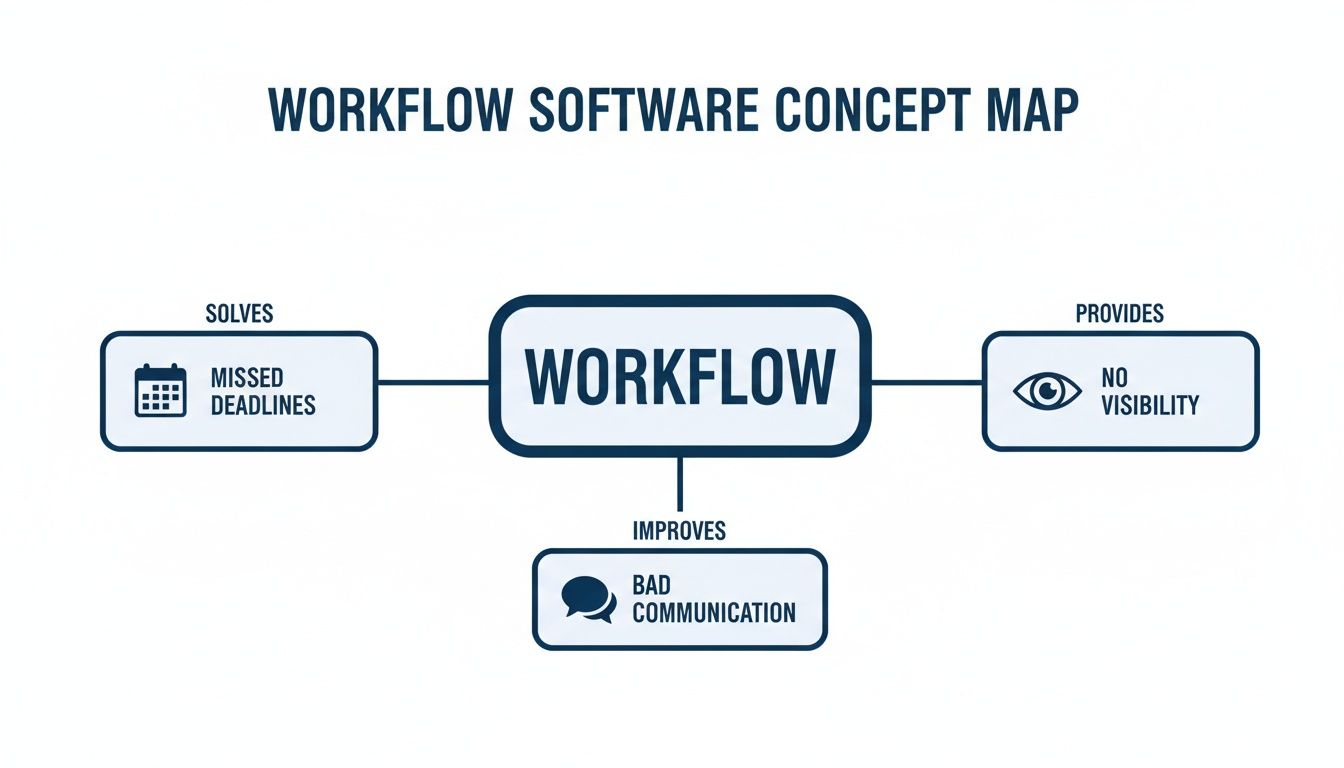
As the diagram shows, a well-structured workflow tackles problems like missed deadlines and poor communication head-on by creating a clear, visible path for every task.
Rules Engines and Conditional Logic
This is where the automation really happens. A rules engine gives your workflow a brain, letting it make decisions on its own. It uses simple "if-then" logic to automatically route tasks based on the information it receives. This saves time and cuts down on human error.
Here are a few real-world examples:
- IT Support: An incoming ticket with the word "urgent" in the subject line can be automatically assigned to a senior engineer and flagged as high-priority. No waiting around.
- Sales Process: A lead from a specific country can be sent directly to the right regional sales team’s queue.
- Finance: An expense report over €1,000 gets sent to a department head for approval, while smaller ones go straight to finance for processing.
This conditional logic is the engine that drives the automation. It makes sure the right work gets to the right person, every time, without anyone having to manually sort through an inbox.
Table: Essential Features of Work Flow Software
This table breaks down the most critical features, what they do, and how they apply in a real-world setting.
| Feature | Function | Practical Example |
|---|---|---|
| Visual Workflow Builder | Provides a drag-and-drop interface to design and visualise business processes from end to end. | A marketing manager maps out a content creation process: idea -> draft -> review -> approval -> publication. |
| Custom Form Creator | Allows users to build tailored forms to collect specific data needed to initiate or advance a workflow. | An HR team creates an onboarding form to gather new hire details, IT requests, and payroll information at once. |
| Rules Engine | Uses conditional "if-then" logic to automate decisions and route tasks based on predefined criteria. | An invoice over €5,000 is automatically routed to a senior manager for approval. |
| Integrations & API | Connects the work flow platform with other business applications (CRM, accounting, etc.) to share data. | When a deal is marked "won" in the CRM, a new project is automatically created in the project management tool. |
These core features work together to build a system that can handle just about any process you throw at it.
Integrations and APIs
No software works in a silo. Your business probably relies on a dozen different tools for accounting, customer relationship management (CRM), and cloud storage. An effective work flow platform has to play nicely with these other applications. When shortlisting tools, strong SaaS integration for business automation is a non-negotiable feature.
This connectivity is typically managed through an Application Programming Interface (API), which allows different software systems to talk to each other. For instance, when a client signs a contract in your e-signature tool, an API call can trigger your work flow platform to automatically create an invoice in your accounting software. These integrations are what create a seamless, connected business process. If you want to dive deeper, you might find our guide on business process management (BPM) useful.
Measurable Business Benefits of Adopting Work Flow Software
Bringing in work flow software isn't just about adding another tool to your stack. It's an investment in real, measurable improvements to how your business operates. The payoff goes beyond vague promises of "better efficiency"—it shows up in the numbers that matter to your finance, operations, and IT leaders. The point is to swap chaotic, manual processes for smooth, automated systems that give you back time and money.

When every step in a process is clearly defined and automated, the first thing you'll notice is a sharp drop in operational costs. This is the direct result of cutting out the hours people spend on mind-numbing data entry, chasing approvals in long email chains, and shuffling physical paperwork.
Reduced Operational Costs
The most immediate impact hits your bottom line. Automation takes over the repetitive, low-value tasks that eat up your team's day, freeing them for work that actually requires a human brain. This translates into several direct financial wins.
- Fewer Manual Errors: When data is validated and transferred between systems automatically, mistakes plummet. That means no more costly clean-up jobs fixing errors in invoices, customer orders, or inventory records.
- Lower Administrative Overhead: Think about your HR department onboarding a new hire. Instead of manually creating a dozen accounts and sending out forms, a single data entry can trigger the entire workflow. The cost savings come directly from those slashed administrative hours.
- Optimised Resource Allocation: Once you have clear data on how long each process really takes, you can assign your people and resources far more effectively. You stop overstaffing to compensate for messy processes and start aligning your team with actual business demand.
The demand for these tools is exploding. In the Netherlands, the software development industry—the very people building these solutions—is expected to hit a market size of €42.6 billion by 2026. This reflects how many companies are seeking a competitive edge through smarter processes. You can dig into more on this Dutch software market expansion to see the trend.
Faster Project and Process Completion
In business, speed is a massive advantage. Work flow software makes things happen faster by automating the handoffs between tasks, teams, and individuals. As soon as one task is marked complete, the system instantly pings the next person in line and gives them everything they need to get started.
This simple step cuts out all the dead time where projects stall while someone waits for an email or simply doesn't realise it's their turn to act. The result is a direct, measurable improvement in how quickly work gets done, right across the board.
For an IT helpdesk, that might look like a 20% drop in average ticket resolution time. For a marketing team, it could mean a 15% increase in projects completed per quarter. These aren't just internal metrics; they mean faster service for your customers and a quicker time-to-market for new ideas.
Improved Compliance and Standardisation
For many businesses, particularly in regulated industries, staying compliant is a constant headache. Work flow software helps here, as it forces everyone to follow the same standard, pre-approved procedure for every single process. You build the compliant process once, and the software makes sure it's followed to the letter, every time.
This automatically creates a digital audit trail for every single action. If an auditor shows up and asks to see the approval process for a specific financial transaction, you can pull up a complete, time-stamped record in seconds. It’s a structured approach that dramatically reduces risk and makes compliance checks a breeze.
Better Employee Experience
Finally, let's not forget the human side of things. Nobody enjoys spending their day on tedious tasks like copying data from one spreadsheet to another or chasing down signatures. Automating that kind of drudgery has a direct, positive impact on employee satisfaction and morale.
When people are freed from monotonous work, they can spend their time on more strategic, creative, and fulfilling activities. This doesn't just make them happier in their jobs—it also reduces burnout and turnover. A more engaged and satisfied workforce is always a more productive and innovative one.
How to Evaluate and Select the Right Software for Your Team
Picking the right workflow software isn't just about finding a tool with a long feature list. If you get it wrong, you end up with a costly, complicated system nobody wants to use. Get it right, and it becomes an invisible engine that powers your operations.
To make the right choice, you need a clear, practical evaluation process. This starts long before you even glance at a vendor's website. It begins with a hard look at how your team actually works.
Start by Mapping Your Current State
You can't fix a problem you don't fully understand. Before you can evaluate any software, you have to map out your current processes as they exist today—not how you think they should exist.
Get a small team together in front of a whiteboard and draw out a key process from start to finish. Let’s take new client onboarding as an example. Document every single step, from the moment a sales contract is signed to when the client is fully set up in your systems. Who is responsible for each task? What information do they need? Where are the handoffs?
This exercise almost always reveals surprising bottlenecks. You might discover the finance team waits three days for a notification from sales, or that IT has to manually create accounts in five different systems. These are the specific pain points your new software must solve.
From there, you can set clear, measurable goals. A vague goal like "improve efficiency" is useless. Instead, aim for something concrete, like "reduce new client onboarding time from ten business days to five" or "cut manual data entry for the finance team by 90%." These targets become your yardstick for success.
Define Your Technical and Functional Needs
With a clear picture of your problems and goals, you can now define what you actually need from a tool. Don't get distracted by shiny features you'll never use. Focus on the core requirements that will solve your specific bottlenecks.
Create a checklist to keep your evaluation grounded and consistent across different vendors.
- Integration Capabilities: Does the software connect easily with your existing tech stack? If your team lives in your CRM or ERP, the new tool must have robust, pre-built integrations for them. A tool that can't talk to your other systems just creates another data silo.
- Scalability: Think about your company's growth over the next three to five years. Will the software handle a doubling of your user base or a tripling of your process volume without a massive price hike or a drop in performance? A tool that can't grow with you means you'll be repeating this entire process in a couple of years.
- User Experience (UX): How intuitive is the interface? Your team will be using this tool every single day. If it's clunky, confusing, or requires extensive training, adoption will fail. Schedule live demos and, if possible, get a trial version into the hands of a few team members to gather direct feedback. For a deeper look into managing your team's tools, check out our guide on workforce management software.
The best workflow software feels like it was designed specifically for your team. It should simplify their jobs, not add another layer of complexity. If it requires a 50-page manual to perform a basic task, it's the wrong tool.
A simple evaluation checklist can be incredibly useful. It forces you to compare each option against the same set of criteria, removing emotion and focusing on what matters to your business.
Work Flow Software Evaluation Checklist
| Evaluation Criterion | Key Questions to Ask | Importance (High/Medium/Low) |
|---|---|---|
| Core Functionality | Does it solve our specific, documented pain points? | High |
| Integration | Can it connect seamlessly with our CRM, ERP, and other essential tools? | High |
| User Experience (UX) | Is it intuitive? Will our team want to use it with minimal training? | High |
| Scalability | Can it handle our projected growth in users and workload for the next 3-5 years? | Medium |
| Reporting & Analytics | Does it provide clear, actionable insights into our process performance? | Medium |
| Security & Compliance | Does it meet GDPR standards? Where is the data hosted? | High |
| Vendor Support | What level of support is included? Is training available? | Medium |
| Total Cost of Ownership | What are the full costs, including implementation, training, and potential add-ons? | Low |
Using a table like this keeps your team aligned and ensures that the final decision is based on a complete picture, not just a flashy demo.
Don't Overlook Security and Compliance
In Europe, data security and compliance aren't optional extras. This is especially true when your workflows involve customer or employee information. Overlooking these aspects during your evaluation can lead to serious legal and financial consequences down the line.
Your review must include a thorough check of the vendor's security posture and compliance with regulations like GDPR.
- Data Residency: Where will your data be stored? For many European businesses, it's critical that data remains within the EU. Confirm the vendor's server locations and their policies on data residency.
- GDPR Compliance: Ask the vendor for documentation on how their platform helps you meet GDPR requirements. This includes features for data access requests, the right to be forgotten, and data processing agreements (DPAs).
- Security Certifications: Look for recognised security certifications like ISO 27001. These provide third-party validation that the vendor follows established best practices for information security management.
By following this structured approach, you move from a vague desire for "a better system" to a clear, evidence-based decision. You'll select a workflow software solution that not only solves your current problems but also supports your business as it grows.
A Practical Checklist for Implementing Workflow Software
Picking the right workflow software is a great start, but it’s only half the job. A rushed, poorly planned rollout can turn a brilliant tool into a source of frustration, leaving you with annoyed teams and a wasted investment. The difference between success and failure often comes down to a clear, structured implementation plan.

The secret is to start small and show value quickly. Avoid the "big bang" approach where you try to automate everything at once—that’s a classic recipe for disaster. A phased rollout, on the other hand, gives you room to learn, adapt, and build momentum.
Before You Start: The Pre-Implementation Phase
This is all about laying a solid foundation. Skipping these steps is a common mistake that almost always leads to confusion and resistance down the line. Your main goal here is to get everyone on the same page and define exactly what a win looks like for a small, manageable first project.
- Secure Stakeholder Buy-In: First, figure out who the key decision-makers and department heads are. Go to them with the specific problems you’re solving (e.g., "Our invoice approval process currently takes an average of eight days") and the measurable goals you’ve set ("We’re aiming to get this down to two days"). Their support is critical for getting the resources you need and encouraging people to actually use the new system.
- Define a Pilot Project: Don't try to boil the ocean. Pick a single, high-impact process that is a well-known pain point. Good candidates are often things like HR onboarding, IT support tickets, or purchase order approvals. The process should be complex enough to demonstrate real value but simple enough that you can get it up and running in a few weeks.
- Assemble Your Team: Designate a project lead and bring in a small team of people who actually do the work you're automating. Their hands-on knowledge is gold; it’s what ensures the workflow you design works in the real world, not just on a whiteboard.
During: The Implementation Phase
Now it’s time to get your hands dirty with the software. This stage is all about translating your process map into a real, automated workflow inside the tool. Communication is key here, especially as you start connecting different systems and setting up the logic that will drive everything.
- Configure Workflows: Jump into your software’s visual builder and map out the pilot process. You’ll be configuring forms, setting up the rules for routing tasks, and defining each step of the approval chain.
- Integrate Key Systems: Connect your new workflow tool to other essential software. This could mean linking it to your accounting package to automatically generate invoices or pulling customer data from your CRM.
- Test Everything: Run the entire process with test data. Seriously, try to break it. What happens if someone rejects an approval? What if a required field is left empty? Ironing out these kinks before you go live will save you a world of headaches.
After You Go Live: The Post-Implementation Phase
Just because the pilot is launched doesn't mean your work is done. This final phase is all about supporting your team, measuring the results, and figuring out what’s next.
A successful implementation isn’t a single launch date; it’s a process of continuous improvement. The feedback you get from your first users is the most valuable data you’ll ever have for refining this process and planning the next one.
Gather feedback through quick surveys or just by chatting with people. Use the software’s built-in analytics to see if you hit your original goals. Did you actually reduce that invoice approval time? By how much? This hard data proves the value of the workflow software and builds a rock-solid business case for automating the next process on your list. Finally, make sure you provide hands-on training and clear documentation to help everyone feel confident using the new system.
How Privacy-First Analytics Measure Success
You’ve rolled out new workflow software. That’s a great first step, but how do you know if it’s actually working? Simply automating a process doesn’t mean it’s better. You need a way to measure the real impact on how your team works, and that’s where privacy-first analytics come in.
These tools are built to quantify the effects of a new process without ever feeling like surveillance. Instead of monitoring chat content or logging keystrokes, they focus on aggregated, anonymous metadata. Think of things like application usage, total time spent in different programs, and how often people have to jump between tasks.
Gaining Insight Without Sacrificing Trust
The point is to get an objective view of work habits, not to peer over anyone's shoulder. For instance, an IT director could use this data to see if a new DevOps workflow genuinely cuts down the time engineers spend toggling between their code editor, a terminal, and a deployment tool. A measurable drop in that "context switching" is hard proof that the new process is more efficient.
This approach is built on trust because the focus is on the process, not the people. It gives you the concrete data needed to justify the investment in workflow software and to keep making your operations better. The WhatPulse dashboard below shows how this data can be visualised, highlighting application usage and other key metrics.
The dashboard gives a clear, high-level overview of application usage and computer uptime, giving managers insights into tool adoption and work patterns without compromising individual privacy.
Justifying Investment with Real Data
This kind of objective data shifts the conversation from gut feelings to actual facts. Instead of asking your team if they "feel more productive," you can point to a 15% reduction in time spent on administrative apps, with a direct increase in focus time within core development tools. That’s the evidence that proves your new system is delivering a real return.
Privacy-first analytics bridge the gap between implementing a workflow and understanding its true value. They offer a way to measure success that respects employee privacy while giving leaders the data they need to make informed decisions.
By pairing your workflow software with a tool like WhatPulse, you create a complete cycle of improvement. You automate a process, measure its impact on work patterns, and then use those insights to make it even better. To dive deeper, you can learn about the benefits of real-time monitoring in our related article. This data-driven loop is what turns a good workflow into a great one.
Got Questions About Workflow Software?
If you're thinking about moving away from manual processes, you probably have a few questions. Here are some straightforward answers to the things people usually ask when they first explore workflow tools.
What’s the Real Cost of Workflow Software?
The price tag can vary quite a bit, so there's no one-size-fits-all answer.
For small teams just getting started, simple plans often begin around €20 to €50 per user, per month. If you're a mid-sized company looking for more firepower—like complex integrations and detailed reporting—you can expect to pay anywhere from €50 to over €150 per user each month.
For large-scale, enterprise solutions that need custom setups and a dedicated support team, the pricing is almost always bespoke. A word of caution: always keep an eye out for hidden costs like setup fees, training packages, or extra charges for API access.
Is It Really Worth It for a Small Business?
Absolutely. Small businesses often feel the squeeze of inefficient processes more than anyone else because their teams are smaller. Automating just one repetitive task—like approving invoices or onboarding a new client—can easily free up dozens of hours every single month.
The trick is to start small. You don't need to automate your entire business overnight. Pick one or two of your biggest bottlenecks and find a simple, affordable tool to fix them. You'll likely see a return on your investment much faster than you think.
Isn't This Just Project Management Software?
That’s a common mix-up, but they serve two very different purposes. The difference really comes down to focus:
- Workflow Software is about the process. It’s built to automate repeatable, step-by-step tasks that happen all the time, like handling IT support tickets, approving expenses, or onboarding new hires. The goal is to make your routine operations consistent and efficient.
- Project Management Software is about the goal. It’s designed for unique, one-off projects with a clear start and finish, like launching a new website or running a marketing campaign. The focus here is on tracking tasks, resources, and deadlines for a specific objective.
Think of it this way: you use workflow software for the things you do over and over. You use project management software for the things you do once.
How Long Does It Take to Get a New System Running?
This really depends on how complex your project is.
A simple, out-of-the-box workflow for one department could be up and running in a week or two, especially if you're automating a process you already understand well.
On the other hand, a company-wide rollout that needs to integrate with other core systems like your CRM or ERP could take several months. That longer timeline gives you room for mapping out your processes, configuring the system, testing it with users, and getting everyone trained. The best approach is often to start with a small pilot project to score a quick win and learn the ropes before you tackle the bigger stuff.
Ready to measure the true impact of your new workflows? WhatPulse provides privacy-first analytics to show you how work gets done, helping you optimise processes and justify your software investments with real data. See how it works.
Start a free trial