
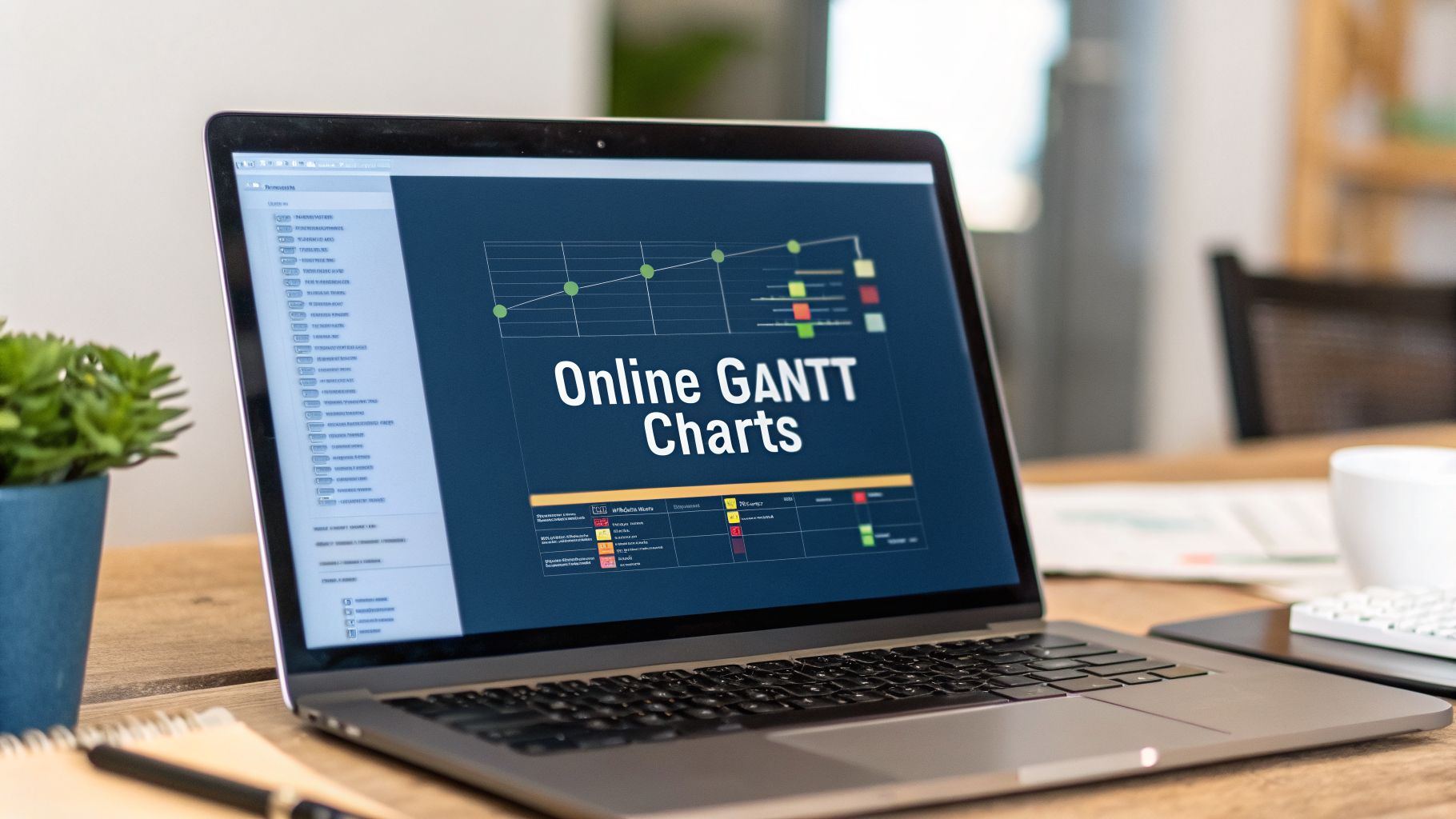
An online Gantt chart is a project management tool that gives you a visual map of your project. It lays out all your tasks against a timeline so you know who is doing what, and when. It's most useful for complex projects where the order and timing of tasks is everything, because it shows how different pieces of work connect.
When to Use an Online Gantt Chart

A Gantt chart is a detailed road map for your project. A simple to-do list tells you which tasks need doing. A Kanban board shows you which stage each task is in. A Gantt chart answers a more complicated question: "How does everything connect over time?"
This tool isn't for every job. If you're just tracking a handful of independent tasks, a list or Kanban board is faster. Gantt charts are necessary when the sequence of events is as important as the tasks themselves.
Visualizing Dependencies and Timelines
Your team is deploying a new software application. The project has several stages that depend on each other: development must finish before quality assurance can start, and QA must approve the build before the marketing team can launch its campaign.
A simple task list can't show that relationship. On a Gantt chart, these connections are obvious.
- Task A (Development): A bar on the timeline from week 1 to week 4.
- Task B (QA Testing): A bar that starts only after Task A is done, running from week 5 to week 6.
- Task C (Marketing Launch): A bar that begins at the start of week 7, once QA is complete.
This visual link makes it clear that any delay in development will push back the entire project. This chain of dependent tasks is the project's backbone. For complex projects, finding this sequence is the key to hitting deadlines, and Gantt charts are perfect for visualizing the critical path for project success.
When Other Tools Fall Short
A Kanban board is great for managing workflow and limiting work-in-progress, but it struggles with fixed deadlines and long-term scheduling. It shows you the state of the work, not its schedule. You can see that your "Testing" column is full, but you can't easily tell if the tasks in there are on track to meet a deadline three months from now.
Online Gantt charts solve time-based dependency management. They are built to answer questions like, "If our server setup is delayed by one week, what is the ripple effect on the rest of the project?"
An online Gantt chart is the right tool when:
- Your project has a fixed end date and is full of interdependent tasks.
- You need to allocate and track resources like people or equipment over time.
- Stakeholders need a high-level visual summary of the project's progress and timeline.
- You have to spot potential bottlenecks caused by how tasks are sequenced.
For IT, engineering, and operations teams, these charts are communication platforms. They get everyone on the same page about the schedule and the consequences of falling behind.
The Core Features You Actually Need
Many online Gantt chart tools are stuffed with options you’ll never touch, making them more confusing than helpful. For IT and engineering projects, a few core capabilities make the real difference.
The first is a dynamic timeline. Forget static charts drawn in a spreadsheet. A dynamic timeline lets you drag and drop tasks, change their durations, and watch the entire project schedule adjust instantly. This is necessary for modern projects where plans are always changing.
Imagine a key engineer is out sick for a week. You stretch their task on the timeline, and the chart automatically pushes back every dependent task. That immediate visual feedback shows you the real impact of a delay without you manually recalculating anything.
Linking Tasks with Dependencies
Projects are a chain of connected activities. Task dependencies are the glue holding your project schedule together.
The most common type is a "finish-to-start" dependency: Task B can't begin until Task A is done.
- Practical Scenario: A software team is building a new feature. The development work must be finished before the QA team can start testing. By linking the "Development" task to the "QA Testing" task, you create a hard rule in the project plan. If development runs late, the start date for QA testing automatically moves with it. This link prevents the QA team from starting work on a half-finished feature.
This one feature prevents countless coordination problems. It turns a to-do list into a logical workflow.
Identifying the Critical Path
Once you’ve linked all your tasks, the critical path emerges. This is the longest sequence of dependent tasks that determines the shortest possible project duration. It’s the project’s central nervous system.
The critical path is a chain of tasks with zero slack time. Any delay to a single task on this path will directly delay the project's final delivery date.
Online Gantt charts calculate this and show it to you automatically, usually by highlighting these tasks in red. This makes it obvious where you need to focus. If the project needs to finish sooner, you have to find a way to speed up a task on that critical path.
Allocating and Managing Resources
A plan is just a document until you assign people to it. Resource allocation lets you assign team members or equipment to specific tasks.
The best Gantt chart tools also give you resource management views. These dashboards show each person's workload across all their assigned tasks. You can see instantly if one of your developers is assigned to three major tasks at once—a clear sign they're overallocated.
This helps prevent burnout and keeps your timeline realistic. If someone is overloaded, you can reassign work or adjust deadlines before it causes a problem. It turns the Gantt chart from a schedule into a capacity planning tool.
Essential vs. Optional Gantt Chart Features
Separating the must-haves from the nice-to-haves is key. This table breaks down what's essential for most teams versus what might be optional.
| Feature | What It Does | Why It's Essential | When It's Optional |
|---|---|---|---|
| Dynamic Timeline | Allows real-time drag-and-drop adjustments to tasks and durations. | Provides immediate visual feedback on schedule changes, making planning flexible. | If your projects are simple and never change (which is rare). |
| Task Dependencies | Links tasks to define the order of work (e.g., finish-to-start). | Ensures work is done in the correct sequence and automates schedule updates. | For basic task lists where the order of completion doesn't matter. |
| Critical Path Analysis | Automatically identifies the sequence of tasks that determines project duration. | Highlights the most important tasks so you know where to focus to avoid delays. | On small projects with few non-dependent tasks. |
| Resource Allocation | Assigns team members to tasks and tracks their overall workload. | Prevents overallocation and burnout, ensuring the project timeline is realistic. | For solo projects or teams where workloads are managed separately. |
| Time Tracking | Lets team members log hours directly against their assigned tasks. | Provides data to compare planned effort vs. actual effort for future estimates. | If you use a separate, dedicated time-tracking system like WhatPulse. |
| Advanced Reporting | Generates reports on budget, progress, and resource utilization. | For stakeholders who need high-level summaries and data-driven insights. | For smaller, internal teams that communicate progress informally. |
| Baselines | Saves a "snapshot" of the original plan to compare against actual progress. | Helps track scope creep and analyze why a project went off-track. | If formal project variance analysis isn't part of your workflow. |
Focus on the essential features first. They deliver the most value by bringing clarity to your projects. Once your team is comfortable, you can explore the optional features.
Integrating Gantt Charts into Your Workflow
An online Gantt chart becomes useful when it's part of your team's daily rhythm. This happens when you connect it to the tools you already use, turning it from a static plan into a live dashboard. For technical teams, that means creating a smooth flow of information between your project plan and your development environment.
The goal is to kill the manual work of updating the chart. With the right integrations, the Gantt chart updates itself based on the actual work being done. This keeps it accurate and makes it a reliable source of truth.
Connecting to Your Code and Pipeline
For DevOps and engineering teams, the best integrations link your Gantt chart directly to your code repositories and CI/CD pipeline. This closes the gap between high-level planning and the daily work of writing code.
You can do this with webhooks or APIs. Here’s an example:
- Connect to Git: You can set up an automation where a "merge" action in a Git branch automatically updates a task in your Gantt chart. When a developer merges code for a new feature, the "Feature Development" task can be marked as 100% complete without anyone opening the project plan.
- Link to CI/CD: A successful deployment to staging or production can trigger an update. The "Deploy to Staging" milestone on your Gantt chart can be checked off the moment your pipeline reports a successful build.
These connections make sure the project timeline reflects what's really happening. You'll need fewer status update meetings because the chart is already telling the story.
This diagram shows the core parts of a Gantt chart that integrations help keep fresh.

The timeline, task dependencies, and resource assignments are the pillars of any chart. Automation keeps them accurate.
Automating Communication and Status Updates
Another powerful integration is with communication platforms like Slack or Microsoft Teams. Nobody wants to constantly check a project management tool. It's better to bring updates to where the team is already talking.
You can set up automated notifications.
- Task Start Alerts: When a new task is ready to begin because its predecessor is complete, the assigned developer gets a direct message in Slack.
- Risk Notifications: If a task on the critical path slips, a notification can be sent to a specific channel for project managers, flagging a problem immediately.
- Weekly Summaries: An automated report can be posted every Monday morning, showing what was completed last week and what’s on deck for the current one.
This kind of integration makes the Gantt chart an active participant in your team's communication. It pushes relevant information to the right people at the right time.
Leveraging APIs for a Single Source of Truth
Most professional online Gantt chart tools offer a solid API. This unlocks custom integrations for your specific workflow, letting you feed data into your Gantt chart to create one unified view.
For example, you could write a script that pulls data from your help desk software. If you have a project to resolve a set of high-priority bugs, the script could update the Gantt chart’s progress based on how many tickets are closed.
This turns the chart into a central hub. Instead of having project data scattered across different systems—time trackers, code repos, ticket systems—the API helps you pull it all into one visual timeline. A well-integrated Gantt chart becomes the single source of truth for your project's schedule. For those already using other project tools, you can learn more about combining them in our guide on using Gantt charts for Trello.
Validating Timelines with Real Usage Data

An online Gantt chart is a hypothesis. You plan tasks, estimate how long they’ll take, and assign people based on assumptions. But reality rarely sticks to the plan. You need to check your plan against what’s actually happening.
Real usage data creates a feedback loop. By looking at how your team actually uses applications, you can shift your Gantt chart from a static document to a living, evidence-based roadmap. It's the difference between guessing how long a task should take and knowing how long it really does.
Moving Beyond Estimates with Usage Analytics
Time estimates are often just educated guesses. An engineer might say a coding task will take 40 hours, but that number rarely accounts for meetings, interruptions, and time lost switching between tools. Privacy-first analytics can measure what’s really going on without being intrusive.
Instead of just logging hours, these tools can measure active focus time within specific applications. You can see if an engineer scheduled for a full day of coding in their IDE actually got that time, or if their day was chopped up by context switching between email, chat apps, and video calls.
This data paints a more honest picture. If your Gantt chart has eight hours blocked out for a task, but the data shows the developer only gets three hours of uninterrupted focus per day, your timeline is already built on weak foundations.
By comparing scheduled work in the Gantt chart with actual focus time, you get a clear signal when your estimates are consistently off. This allows you to adjust future timelines with data, not just intuition.
Verifying Tool Adoption in Rollout Projects
Let’s say your Gantt chart has a milestone: "Team-wide adoption of new design software." How do you confirm that’s happened? You could ask people, but usage data gives you a more reliable answer.
By tracking application usage, you get concrete proof of adoption trends.
- Who is using the new tool? You can see that the entire team is logging in and actively working in the software.
- Is old software being phased out? The data can show if legacy apps are still in use, pointing to a training gap or resistance to change.
- How much is it being used? You can quantify adoption. A vague "completed" status on the Gantt chart becomes a specific metric, like "95% of the design team used the new tool for more than 10 hours this week."
This approach puts teeth into your project milestones. It confirms that a new process or tool isn't just "rolled out" on paper but is genuinely part of the team's workflow. Workplace adoption of new tech often lags. In the Netherlands, personal AI tool use has grown, but workplace uptake has been slower. Research on AI adoption among Dutch adults shows the need for tools with clear value.
Creating a Data-Driven Feedback Loop
The goal is a cycle of continuous improvement. Your Gantt chart informs the work, and real-world data informs the Gantt chart. This feedback loop helps you refine your project planning over time, making each new schedule more accurate. You can find more on applying these concepts by reading about tracking time spent on projects.
This process helps you answer project management questions with objective data:
- Are our deadlines realistic? Compare scheduled task durations with actual focus time to see if your team has enough bandwidth.
- Are we accounting for interruptions? Analyze how much time is lost to context switching and adjust your resource plans.
- Is our new workflow being adopted? Use application metrics to prove that process changes are sticking.
By integrating usage analytics, your online Gantt chart evolves from a rigid plan to a living document, constantly sharpened by how your team gets work done.
Security and Privacy in Cloud-Based Planning
Moving project plans to the cloud means handing over sensitive data. We're talking about project details, timelines, team member names, and strategic milestones—all living on a third-party server. This makes security and privacy non-negotiable when choosing an online Gantt chart provider. The convenience of the cloud must be backed by serious protection for your information.
A big concern is how your data is shielded. This protection needs to cover data in transit (moving between your computer and the server) and data at rest (sitting on their hard drives). Both need strong encryption.
Core Security Mechanisms to Verify
When comparing tools, you need to ask direct questions about how they handle your data. Think of it as a basic security check-up. You’re not just buying software; you’re trusting a vendor with your intellectual property.
Start by checking for standard security practices. Look for a clear commitment to encrypting all communications using TLS (Transport Layer Security). This stops data from being intercepted as it travels. For data at rest, the provider should use a strong encryption algorithm like AES-256 to keep the database locked down.
Beyond encryption, you need control over who can see and do what.
- Role-Based Access Control (RBAC): Can you set up different permission levels? A project manager might need full editing rights, while a stakeholder should only be able to view the timeline. This is important for preventing accidental changes.
- Authentication Options: Does the tool support Single Sign-On (SSO)? This lets your team log in using your company's existing identity system, centralizing access control and simplifying user management. It's a standard feature for enterprise-ready software.
- Audit Logs: Is there a record of who accessed the plan and what they changed? Audit logs are essential for security and figuring out what went wrong.
Compliance and Data Sovereignty
Where your data is physically stored matters, especially for businesses under laws like GDPR in Europe. These have strict rules about how personal data is handled.
A key question for any European company is: "Are your servers located within the EU?" Keeping data inside the same legal jurisdiction simplifies compliance.
This is relevant in markets with high digital adoption. In the Netherlands, online Gantt chart use has grown as part of a wider digital shift. With internet penetration expected to hit 98.5% by late 2025, cloud tools are commonplace, making GDPR compliance a top concern. You can see more on this trend in DataReportal's recent report on the Netherlands.
Choose a provider that’s transparent about its data practices. You should be able to easily find their privacy policy and understand what data is collected. For an example of what privacy-first data collection looks like, review our documentation on privacy and data collected.
A good provider won't just be compliant; they'll give you tools to manage your own compliance, like features for easily deleting and exporting your data. This ensures you stay in control.
How to Choose the Right Online Gantt Chart Tool
Picking the right online Gantt chart tool can be a project in itself. The market is packed with options promising to solve all your planning problems. The trick is to tune out the marketing and build a clear evaluation framework based on what your team needs.
Start by mapping out your requirements. Don't just make a list of features. Instead, create a checklist of the problems you're trying to solve. How big is your team? How complex are your projects? What's your real budget?
Answering these questions will narrow the field quickly. A small team with straightforward projects shouldn't pay for an enterprise-grade system loaded with features they will never touch.
Evaluate Usability and Adoption Potential
The most important feature of any software is that people actually use it. A powerful online Gantt chart with a confusing interface will be abandoned. If the tool isn't intuitive, your team will go back to spreadsheets, and your investment is wasted.
Look for a clean, logical layout. It should be simple to add tasks, set up dependencies, and move timelines with drag-and-drop actions. A good test is to see if a new user can build a basic project plan in under 15 minutes without a manual.
A complicated tool that requires a week of training is a massive red flag. The best systems are designed so the core functions are self-explanatory. This is the biggest factor in getting your whole team on board.
Consider Integration and Scalability
Your Gantt chart shouldn’t be an island. It needs to connect to the tools your team already uses, whether that’s Slack, Git, or Jira. Before you commit, check the provider's integration library or API documentation to make sure you can build a connected workflow. Without good integrations, your team will be stuck with manual data entry.
You also need to think about the future. Will this tool grow with you? A system that works for a team of ten might grind to a halt with fifty people. Look for vendors that offer clear paths to scale, from team-based plans to enterprise solutions. Good customer support is part of this—make sure they have clear documentation and responsive help channels.
Pilot Test Before You Commit
Never commit to a full-scale rollout based on a sales demo. The final step should be a small pilot test. Grab a real project, a few team members, and give it a proper trial run. This is where you'll find the friction points and unexpected benefits.
A pilot test will tell you quickly if the tool fits your workflow. It's also a chance to see how newer AI-powered features, like automated scheduling or risk flagging, perform in a real environment.
When looking at different options, keep an eye on how broader platforms are evolving. Advancements in M365 Project Planning Tools, for example, can influence your decision. A proper pilot test gives you the confidence to make the right choice.
Common Questions We Hear About Gantt Charts
We talk to many teams who are curious about how online Gantt charts could fit into their workflow. Here are a few common questions.
Do Gantt Charts Still Make Sense for Agile Teams?
Yes. They just solve a different problem. Agile methods like Scrum are great for managing the details of short sprints. The Gantt chart provides the bigger picture—the long-term roadmap that shows how all those sprints add up to a major release.
Think of it like this: your Agile backlog tells you what’s happening this week, while the Gantt chart shows where the project needs to be in six months. It’s the tool that helps coordinate dependencies between teams and give stakeholders the strategic overview they need.
How Do You Stop a Gantt Chart from Becoming a Mess?
Keep it high-level. A Gantt chart’s job is to show major milestones and the critical dependencies connecting them, not every small task. Use summary tasks to bundle related activities into a single bar on the timeline.
If your chart has hundreds of individual lines, it’s probably too detailed to be a useful communication tool.
The goal is to create clarity, not to document every minute. Review it regularly and ask: "Can this be simplified?" If a task doesn’t affect the critical path or a major deliverable, it might not need its own entry.
What's the Biggest Mistake People Make with Gantt Charts?
Treating the chart like a static document. A team will spend a week building the "perfect" plan, print it out, and never look at it again. A good online Gantt chart is a living document. It has to be updated as deadlines shift, resources change, and new information appears.
An out-of-date chart is worse than having no chart at all—it’s actively misleading. The teams that succeed build a habit of updating their chart at least weekly. That's how it stays a reliable source of truth.
Ready to connect your plans to reality? WhatPulse gives you the privacy-first analytics needed to see if your project timelines actually line up with how work gets done. You can finally see how your team’s focus time aligns with your Gantt charts and make smarter planning decisions based on real data.
Learn more about WhatPulse Professional
Start a free trial