
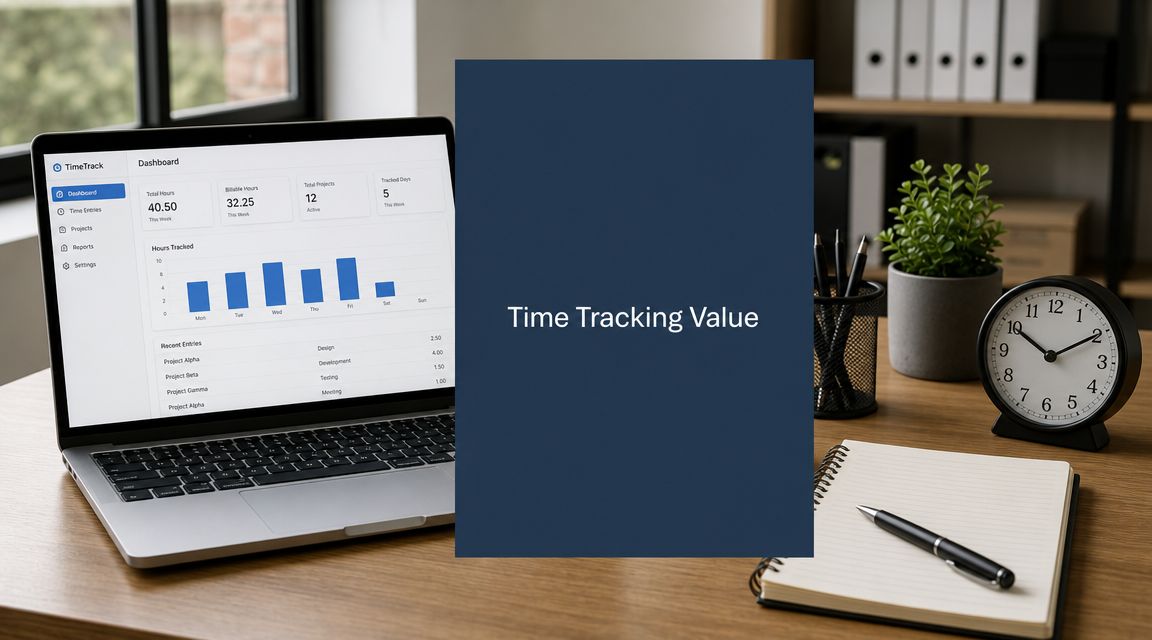
You probably know the scene. The project is late, the team has clearly been working hard, and the budget review turns into a guessing exercise. People remember being busy. Nobody can say, with much confidence, where the week went.
That's usually where project time tracking gets dragged back into the conversation. Half the room thinks “timesheets”. The other half thinks “surveillance”. Both reactions are understandable, and both miss the useful middle ground.
Good project time tracking isn't about squeezing people for more output or forcing everyone into a Friday afternoon admin ritual. It's about getting a believable picture of effort, flow, and workload so delivery decisions stop relying on memory. In IT and operations teams, that matters more than most leaders admit. Hybrid work, fragmented tool stacks, support interruptions, project work mixed with BAU, and a mix of full-time and part-time contracts can make “everyone looks busy” almost meaningless as a planning signal.
The tools have changed too. Manual entry still has a place for billing and approvals, but it's a poor primary source for understanding how work happens. Privacy-first automated capture, especially application usage and activity-based signals that avoid content capture, gives teams a better option. You get enough fidelity to spot bottlenecks and estimate properly, without turning people's screens into evidence lockers.
Why Project Time Tracking Still Matters
When a project goes over budget, the post-mortem often lands on familiar explanations. Scope changed. Priorities moved. The team got pulled into meetings. Support work spilled over. All of that may be true. It still doesn't tell you where the time went.
That's the first bad assumption worth dropping. Project time tracking is not the same thing as timesheet administration. The administrative side matters, but the operational value sits elsewhere. Done well, time data tells you whether your delivery model is realistic, whether estimates are detached from real effort, and whether your best people are spending too much of their week on coordination instead of execution.
Busy is not a metric
A team can be flat out and still have poor throughput. I've seen this in engineering groups where the issue wasn't lack of effort. It was fragmented effort. Developers were switching between Jira tickets, Slack, support queues, meetings, approvals, and environment issues all day. On paper, utilisation looked healthy. In practice, delivery slowed because nobody had enough uninterrupted time to finish meaningful chunks of work.
That's where project time tracking earns its keep. It gives you evidence for questions that otherwise turn into opinion:
- Where is effort going: project work, internal admin, support, meetings, rework
- What work type is expanding: planned delivery or unplanned interruptions
- Which estimates keep failing: tasks, phases, clients, or internal initiatives
- Who is overloaded: not by headcount, but by actual time commitments
Practical rule: If you can't explain overruns without relying on recollection, you don't have enough operational visibility.
The Dutch context makes sloppy tracking riskier
In the Netherlands, this is not just about cleaner reporting. The EU Pay Transparency rules adopted in 2023 require organisations to be more disciplined about wage and workload data, which makes weak time data riskier, not merely inefficient. In the Dutch labour market, where working patterns are more fragmented, the better question is what minimum level of time fidelity is defensible without creating surveillance concerns, as discussed in this guide to time tracking in project management.
That last part matters. Defensible doesn't mean exhaustive. It means collecting enough to support planning, fairness, payroll accuracy, and workload review without crossing into monitoring that people reasonably see as invasive.
What useful tracking looks like
Useful project time tracking helps leaders do three things better:
| Decision area | What time data should answer |
|---|---|
| Forecasting | Are estimates grounded in actual delivery patterns? |
| Capacity planning | Do we have enough role-specific bandwidth for the next tranche of work? |
| Delivery diagnosis | Are delays coming from effort, handoffs, meetings, or interruptions? |
If the system only produces a list of hours by person, it won't answer those questions. It will create admin overhead and resentment. That's why the method matters as much as the metric.
Moving Beyond Hours Logged to Metrics That Matter
Raw hours are a starting point. They're not insight.
Time tracking often begins with a blurry picture: total hours by project, maybe split by person or department. That's useful for basic control, but it won't tell you why one project keeps drifting while another moves cleanly. To get there, you need a hierarchy of measures.

Start with allocation, not activity theatre
For teams in the Netherlands, hour-based measurement is more reliable than headcount for comparing capacity because part-time work is so common. The practical benchmark is to track time at task level and report it as both logged hours and FTE-adjusted utilisation, so project analysis doesn't get distorted by mixed contract sizes, as noted in this discussion of project time tracking.
That has a direct operational consequence. If one engineer works a shorter contracted week and another works a longer one, comparing them on “hours this month” alone tells you very little. Compare effort against contract-adjusted capacity and the picture changes immediately.
A simple metric stack that actually helps
I usually separate project time tracking metrics into four levels.
Recorded effort
This is the base layer. Hours by project, client, task, sprint, or work package. You need it, but don't stop here.
Allocation quality
This asks whether time is going to planned work or leaking into support, rework, meetings, or admin. It's where hidden project drag starts to show up.
Work pattern metrics
Privacy-first automated capture proves useful. Application usage, active time, tool switching, and meeting-heavy days can reveal whether people have enough focus time to do deep work. If your developers spend most of the day toggling between issue trackers, chat, email, browsers, and remote sessions, you've learned something valuable even without reading a single message or screen.
Forecasting and risk
Once the earlier layers are reliable, you can use them to tighten estimates, spot schedule risk, and challenge delivery assumptions before the project slips.
For teams thinking through the difference between collecting data and using it well, this short piece on tracking vs measuring is worth a look.
Logged hours tell you what was recorded. Better metrics tell you what your delivery system is doing to people's time.
Choose KPIs that match real decisions
A lot of tracking programmes fail because they chase neat-looking dashboards instead of operational questions. Pick a handful of measures that support an actual decision.
Try something like this:
- For PMs: planned versus actual effort at task and milestone level
- For engineering leads: focus time, interruption load, and work split between project delivery and support
- For operations leads: rework patterns, approval delays, and internal meeting weight
- For finance: labour allocation by project and a cleaner view of delivery cost
If you're pairing time data with broader automation work, this article on how to boost productivity with IT solutions gives a sensible view of where process changes can help and where they just move admin around.
What not to measure
A few metrics look tempting and usually backfire:
- Hours as a proxy for contribution: this rewards visibility, not outcomes
- Utilisation in isolation: teams will fill time, even when the work isn't the highest value
- Per-minute precision: it creates friction without improving decisions
- Leaderboard reporting: it destroys trust faster than almost anything else
If your metrics make people perform activity instead of doing useful work, the tracking model is wrong.
A Privacy-Safe Implementation Framework
The make-or-break issue isn't software. It's trust.
If people hear “time tracking” and assume screenshots, keystroke logging, or someone watching idle time minute by minute, adoption is dead before rollout starts. They'll resist openly, or worse, comply just enough to poison the data quality. A privacy-safe implementation starts by rejecting that model.
The better approach is narrower. Collect what you need for project visibility and workload understanding. Skip content capture. Skip voyeuristic features. Explain the boundary in plain language.

Step one is purpose, not procurement
In the Netherlands, the Working Hours Act (Arbeidstijdenwet) limits weekly hours and requires employers to keep records, which puts project time tracking at the intersection of labour law, payroll, and project control, not just billing, as outlined in this article on project time tracking.
That legal context helps shape the first implementation question: why are you collecting this data?
If the answer is vague, people will fill the gap with their own fears. Be specific:
- Compliance purpose: working-hours records, overtime visibility, payroll support
- Project purpose: estimating, staffing, budget control, task-level effort
- Team purpose: reducing manual timesheets, identifying overload, protecting focus time
Now define what is explicitly out of scope. That matters just as much.
The middle path between blind trust and over-monitoring
There's a real difference between measuring work patterns and watching workers.
Privacy-first systems can track application categories, active time, broad activity signals, and project profiles without recording message content, screen contents, or keystroke sequences. That gives leaders enough information to understand effort distribution while leaving room for employee dignity and autonomy.
For a balanced discussion of where monitoring crosses the line, Nutmeg Technologies' advice on staff monitoring is a useful reference.
If you need screenshots to manage a project, the issue probably isn't the team. It's your operating model.
A rollout pattern that holds up under scrutiny
Here's the implementation pattern I trust most.
| Step | What to do | What to avoid |
|---|---|---|
| Define scope | Limit collection to project-relevant metadata and activity patterns | Open-ended “collect now, decide later” setups |
| Engage stakeholders | Bring in HR, legal, IT, managers, and employee representation early | Announcing the tool after purchase |
| Publish rules | State what is tracked, what isn't, who sees it, and how long it's kept | Hiding policy details in legal text |
| Give user control | Allow review, correction, and reasonable data rights | Treating all recorded data as untouchable truth |
| Use aggregates by default | Report team and project patterns first | Jumping straight to person-level scrutiny |
| Review regularly | Check whether the data still serves the stated purpose | Keeping features enabled because they exist |
A practical privacy review should include access controls, retention limits, and a path for deleting or correcting user-level data where appropriate. If your team wants a concise explanation of what privacy-safe collection can look like in practice, this overview of privacy and data collected is the kind of material I'd share before a pilot.
What employees need to hear
Most rollouts overcomplicate the message. Staff usually want clear answers to plain questions:
- What exactly are you collecting?
- Can you see content?
- Is this for payroll, projects, or performance management?
- Who can view my data?
- Can I review it?
- How will this help me, not just management?
If leaders can't answer those directly, the rollout isn't ready.
Driving Team Adoption Without Mandates
Mandates get you installation. They don't get you honest use.
People adopt project time tracking when it solves one of their problems. If it only solves management's problem, you'll get the minimum effort required to stay out of trouble. That means poor categorisation, guessed entries, and a lot of quiet hostility.
Start with personal value
For engineers, analysts, and delivery staff, the strongest argument usually isn't billing or compliance. It's relief.
If a tool reduces end-of-week timesheet reconstruction, people notice. If it shows how much time disappears into meetings, support requests, or context switching, they notice that too. Those are useful signals at individual level. They help someone defend focus blocks, challenge unrealistic allocations, and show the difference between “available on paper” and actually available.
A good manager can frame it in language like this:
“We're not trying to inspect every minute. We're trying to stop guessing where project time goes, and make sure the data also helps you protect your working time.”
That lands better than “everyone must complete this because leadership needs reporting”.
Don't sell surveillance with softer words
Teams can smell euphemisms. If the tool has invasive features, saying it's about wellbeing won't help. If the tool is privacy-first, say so plainly and show the boundaries.
A few adoption habits work better than top-down enforcement:
- Pilot with volunteers: pick a team that already feels the pain of manual timesheets or overload
- Show useful outputs early: meeting load, project split, support spillover, focus windows
- Let users correct categories: automated capture is better when people can review and tidy it
- Train managers first: poor manager behaviour ruins trust faster than any product choice
Give managers a script that isn't awful
Most managers aren't trying to be heavy-handed. They just default to stale language. A few lines work better:
| Instead of saying | Say this |
|---|---|
| “We need better accountability” | “We need less guesswork in planning and less manual admin” |
| “Leadership wants visibility” | “We want to see where project work gets interrupted” |
| “This will improve productivity” | “This should help us spot meeting load, support drag, and unrealistic estimates” |
Make the first win visible
The first visible win shouldn't be a management dashboard. It should be something the team recognises as fair and useful.
That might be proof that a project has been under-scoped. It might be evidence that a developer is carrying too much support load. It might be a cleaner way to submit project allocations without recreating the week from memory.
Once people see the system explain something they already felt but couldn't prove, resistance usually drops. Not because they suddenly love tracking, but because the tool starts behaving like a mirror instead of a camera.
Integrating Time Data into Your Tech Stack
A time tracking tool on its own is usually disappointing. It becomes useful when it joins the systems where planning, delivery, support, and reporting already happen.

Connect effort to work objects
The first integration point is your work management layer. For most IT and operations teams, that means tools such as Jira, Asana, Azure DevOps, ClickUp, or Monday.com. The point isn't convenience alone. You want effort attached to the same artefacts the team already uses: issues, epics, projects, service tasks, milestones.
That lets you ask better questions:
- Which ticket classes absorb more time than expected?
- Which epics involve heavy coordination overhead?
- Where does project effort get diluted by support work?
- Which project phases consistently burn more effort than planned?
If Jira is central to your delivery workflow, this guide on Jira for time tracking covers the practical reasons to keep time data tied to issue structures instead of treating it as a separate spreadsheet exercise.
Don't stop at the PM tool
The second layer is analytics. Push approved or aggregated time data into Power BI, Tableau, Looker Studio, or your warehouse if you have one. That's where project time tracking stops being an app feature and becomes management information.
Common dashboard views that are worth building include:
- Project burn by work package
- Planned versus actual effort by sprint or phase
- Support bleed into project teams
- Meeting-heavy teams versus maker-heavy teams
- Trend lines for estimate accuracy
A privacy-first platform such as WhatPulse can fit here as one data source among others. It captures application usage and activity patterns without content capture, which can help teams understand focus time, software adoption, and context switching alongside manual project categorisation.
Use APIs for the awkward gaps
Native integrations are convenient, but they rarely cover all the edge cases. APIs matter when your flow crosses systems with different owners. A common example is combining:
| System | What it contributes |
|---|---|
| Jira or Asana | Task and project structure |
| HR or payroll | Contract hours, leave, employment status |
| BI tool | Dashboards and trend analysis |
| Time data source | Recorded effort and work-pattern signals |
That's also where data hygiene starts to matter. Standardise project codes, team names, and task categories early. If every system calls the same workstream something slightly different, your reports will be a mess.
A short demo often helps teams picture the integration possibilities before they design the flow:
Build for decisions, not dashboards
The best integration design starts with the decision you need to support. If the goal is better sprint estimation, wire time data into delivery reporting. If it's client billing, connect approval workflows. If it's workload fairness, bring in contract calendars and leave data.
Plenty of companies integrate everything and still learn nothing because the reports don't answer a real operational question. Keep it narrower than you think. Useful beats all-encompassing.
Common Pitfalls and How to Avoid Them
Most project time tracking failures don't happen because teams refuse to log time. They happen because the numbers look clean while the model underneath is wrong.
Comparing people on the wrong denominator
In the Netherlands, the standard full-time week is often 40 hours, but many collective agreements and sector practices set shorter working weeks. That means capacity planning needs role-specific calendars, not one company-wide assumption, or budgets and burn-rate views will drift into systematic bias, as explained in this look at time tracking in project management.
This is one of the most common analysis mistakes. Someone works a shorter contractual week, someone else works a longer one, and a dashboard compares them as if both had the same denominator. Then leaders start reading differences in availability as differences in commitment or performance.
Mitigation: normalise against contract hours, leave, and public holidays before you compare utilisation, throughput, or effort trends.
Treating utilisation as the master metric
High utilisation can mean healthy demand. It can also mean no breathing room, no learning time, and no slack for support spikes or design work. If the system rewards constant booked time, people stop making space for mentoring, documentation, training, and problem prevention.
Mitigation: pair utilisation with indicators for delivery quality, estimate accuracy, and interruption load. If all you reward is booked hours, you'll get booked hours.
Teams don't game the metric because they're dishonest. They game it because the metric punishes reality.
Asking for precision nobody can maintain
Five-minute granularity sounds disciplined until people spend more energy categorising work than doing it. Fine-grained manual timesheets are especially bad in technical teams where work is fragmented and interruptions are frequent.
Mitigation: automate the base capture where you can, then ask users to review and classify at a sensible level. Task, project, and work-package fidelity usually beats minute-by-minute reconstruction.
Ignoring project risk signals outside the schedule
Time data often reveals risk before the Gantt chart does. A sharp rise in coordination time, repeat work, or support interruptions can tell you more about delivery danger than a green status report.
If your PMO needs a wider lens on where project risk comes from, this comprehensive guide to IT project risks is a useful companion read.
Turning reporting into a blame tool
This one is cultural, not technical. The moment leaders use time reports to publicly rank people or interrogate every variance, data quality collapses. Staff will round, hedge, or overclassify defensively. You'll still get reports. They just won't be true.
Mitigation: use time data for planning, exception handling, and team-level diagnosis first. Escalate to person-level review sparingly and only where there's a defined operational reason.
How to Evaluate Project Time Tracking Solutions
Buying a time tracking tool by feature list usually ends badly. The essential choice is between operating models.
Some products are basically digital timesheets. Some are surveillance software wearing a productivity badge. Some automate capture well but have weak reporting. Some integrate extensively into project tools but don't handle privacy expectations well enough for a Dutch workplace. You need to sort vendors by model before you compare screens and pricing.
Compare the categories first
A simple way to classify options:
| Tool type | Strength | Weak spot | Best fit |
|---|---|---|---|
| Manual timesheet tools | Clear for approvals and billing | Recall bias, low adoption, weak behavioural insight | Finance-led environments with simple workflows |
| Timer-based tools | Better real-time capture than weekly entry | Users still have to remember to start and stop | Freelance, agency, and task-focused teams |
| Automated privacy-first tools | Lower admin burden, better work-pattern visibility | Need policy clarity and good categorisation rules | IT, engineering, and hybrid knowledge teams |
| Surveillance-heavy monitoring tools | High visibility into activity | High trust cost, legal and cultural friction | Rarely a good fit for project delivery teams |

The Dutch buying criteria are a bit different
The Dutch Arbeidstijdenwet of 1995 and the country's high share of part-time work created a market where granular, flexible tracking matters more for staffing and forecasting. Features that support mixed full-time and part-time teams carry more weight in that setting, as described in Atlassian's overview of time tracking.
That means a demo should answer practical questions like:
- Can the system handle mixed contract hours cleanly?
- Can it report effort in both logged hours and adjusted utilisation?
- Can employees review and correct categorisation?
- Does it support project profiles or task-level mapping?
- Can managers see aggregated patterns without defaulting to invasive person-level views?
Questions worth asking in a demo
Don't ask “what features do you have?” Ask things like this instead.
What exactly is captured by default
If the answer is murky, stop there. You need a precise explanation of metadata, content collection, and user controls.
How much manual effort is still required
Some “automated” tools still depend on heavy clean-up by users at the end of the week.
How does the product handle mixed employment patterns
This matters more than vendors often admit. Part-time schedules, leave, and role-specific calendars affect every utilisation report.
What integration paths exist
Native connectors are nice. API access matters more if your reporting stack is mature.
Who can see what
Role-based access should be clear, not implied.
Buy the tool that gives you enough truth to run projects properly, not the tool that gives you the most data.
What usually wins in practice
For most IT and operations teams, the sweet spot is a product that combines:
- Automatic or semi-automatic capture
- Strong privacy boundaries
- Task and project categorisation
- Good export or BI integration
- Reasonable support for manager review and employee correction
That combination tends to produce better data with less friction. It also stands up better when HR, legal, or employee representatives ask hard questions.
If you want a privacy-first option that can support project time tracking without screen recording or content capture, WhatPulse is worth evaluating. It tracks application usage and activity patterns on Windows and macOS, stores data in the EU, and gives teams a way to understand focus time, software adoption, and project-related work patterns while keeping the collection model transparent and controllable.
Start a free trial