
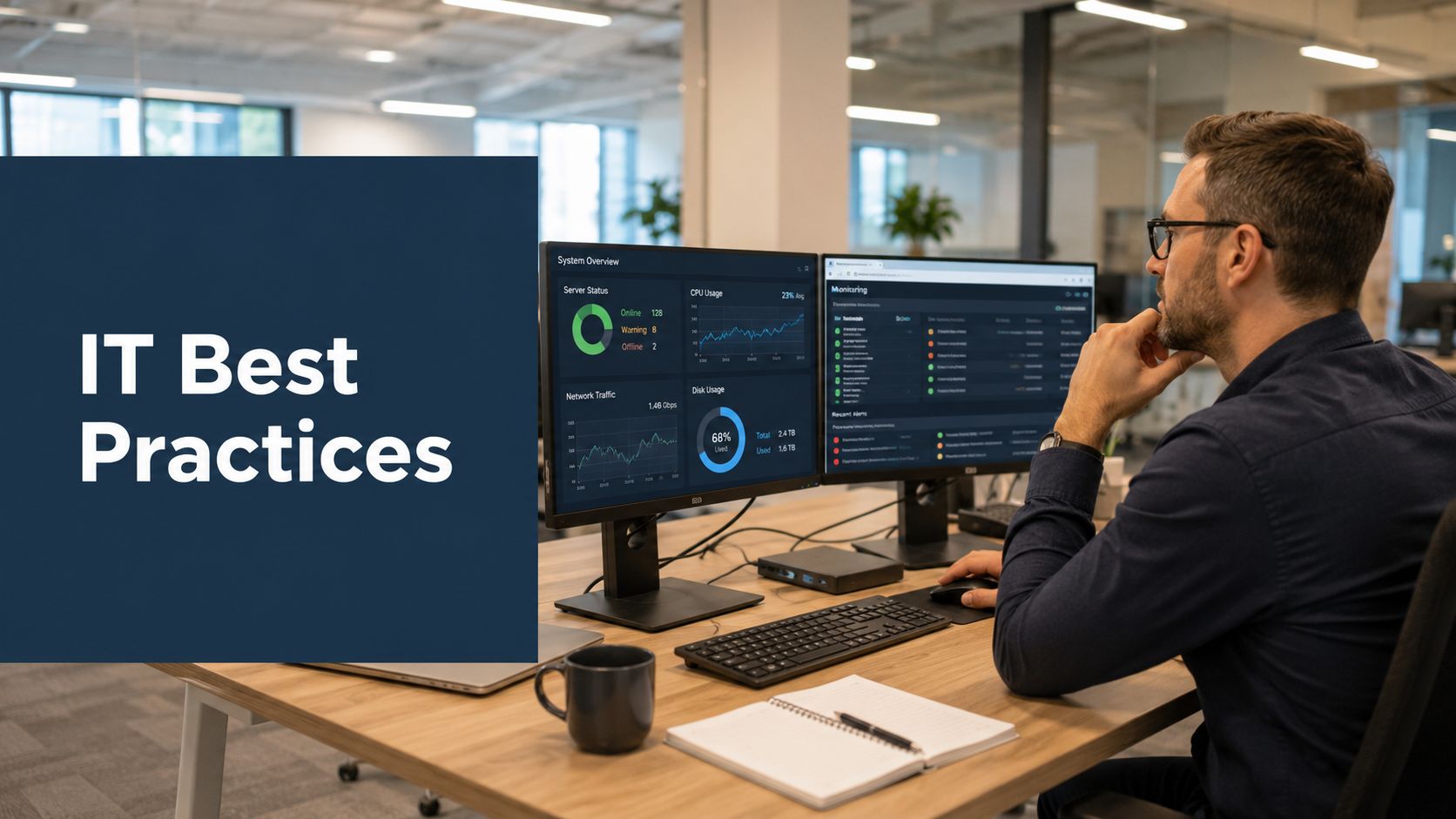
Monday starts with a licence renewal you didn't expect, three laptops that missed a patch window, a manager asking whether the new collaboration tool is in use, and a security question about what endpoint data you're collecting on remote staff. That's a normal week for most IT teams now. The hard part isn't finding another framework. It's deciding what to measure, what to ignore, and how to improve operations without turning the department into a reporting factory.
That's where good IT management best practices separate themselves from a tidy checklist. Useful practice shows up in purchasing, deployment, support, privacy controls, and change reviews. It gives you enough visibility to act early, but not so much noise that your team spends the day chasing dashboards.
The teams that get traction usually make one shift first. They stop treating governance, security, adoption, and support as separate tracks. Software usage affects budget. Device visibility affects security. Training affects analytics adoption. Privacy rules affect what you can monitor and how you explain it. Once you run IT that way, decisions get cleaner.
This list stays close to that reality. Each practice is measurable. Each one has trade-offs. And each one works better when you build it with privacy-first analytics instead of invasive monitoring.
1. Software Asset Management and License Optimization
A licence renewal rarely fails because the contract was unclear. It fails because no one can line up three basic facts in the same meeting: what the company bought, what is installed, and what employees use. Finance sees spend. Procurement sees terms. IT sees deployment. Without a shared view, renewals turn into guesswork.
Software asset management works best when it is treated as an operating discipline, not a once-a-year audit task. The practical goal is simple. Cut waste without creating compliance gaps or removing tools people still need to do their jobs.
Start with a baseline that combines contract terms, renewal dates, seat counts, installs, and real usage. Then review by product family rather than by vendor name. That is usually how overlap shows up first. One team buys a whiteboarding tool, another adds a project workspace with similar features, and a third keeps paying for a legacy product because nobody wants to risk switching mid-quarter.
Usage data changes that conversation. A privacy-first platform such as software licence optimisation analytics helps IT compare paid seats with actual application use across endpoints without collecting content or turning SAM into employee surveillance.
Practical rule: Go into every renewal with your own usage evidence, not just the vendor's activity report.
There is a trade-off here. Aggressive licence reduction looks good on a cost report, but cutting too close creates a different problem. Shared accounts increase, teams delay projects while waiting for access, and managers start buying outside approved channels. Good SAM reduces waste while preserving a buffer for genuine demand.
The metrics should stay tight and useful:
- Assigned seats vs active users: Shows where spend is detached from real use.
- Install rate vs usage rate: Highlights software that is widely deployed but rarely opened.
- Unused licence value by product family: Helps prioritise the contracts worth fixing first.
- Renewal risk window: Tracks which major contracts lack a current usage review before renewal.
- Redundant tool count by category: Exposes overlapping apps in areas like note-taking, PDF editing, messaging, and remote support.
A common pattern is easy to miss until you measure it. Design, marketing, and product each adopt different collaboration tools for valid local reasons. Six months later, IT is paying for three platforms, support has to document all of them, and security has three separate admin surfaces to review. A quarterly SAM review catches that drift early and gives leadership a cleaner basis for standardisation decisions.
Quarterly reviews are usually enough for core software. Monthly checks make sense for fast-changing SaaS categories or departments with high self-serve purchasing. Annual true-ups are too slow for either case.
2. Endpoint Device Management and Visibility
If you can't answer “which devices are active, healthy, patched, and still in use?” without opening five systems, your endpoint management is too fragmented. This is one of the most common weak spots in IT operations.
Visibility isn't the same as surveillance. For endpoint management, you usually need device identity, software state, patch status, version consistency, and broad usage trends. You usually do not need screen capture, message content, or keystroke logging. Teams that mix those up create privacy risk and lose trust fast.
What to track on endpoints
Good endpoint management starts with policy. Define exactly what device data you collect, why you collect it, who can access it, and how long you keep it. Then make those rules visible to staff, not buried in an admin document nobody reads.
Dutch and wider EU practice matters. Since GDPR took effect on 25 May 2018, security-by-design and privacy-by-design moved into normal IT operations, not just legal review, as outlined in data management guidance covering GDPR-era controls. For endpoint teams, that means access controls, minimised collection, retention rules, and a clear reason for every telemetry field you keep.
- Track device health: Focus on patch state, agent status, encryption status, and version drift.
- Separate user data from device data: The machine needs management. The person needs privacy.
- Flag stale endpoints: Devices that stop checking in often become security or support issues later.
What works in practice is a phased rollout. Start with corporate-managed laptops and desktops. Prove the data is useful. Fix blind spots in inventory and patching. Only then widen the scope. Teams that start with “collect everything everywhere” usually end up scaling confusion instead of control.
3. Application Usage Analytics and Adoption Monitoring
A rollout looks finished on the project plan. Then 60 days later, one team is using the new tool every day, another logged in once, and a third went back to the old workaround. That is the point where IT needs usage data, not launch theatre.
Assigned seats, completed training, and a green status report do not show adoption. They show distribution. Adoption means the tool is used in the workflow it was bought to support, often enough to justify the cost and change effort.
Where adoption usually stalls
BARC found that active use of BI and analytics tools is often held back by training gaps, weak data quality, budget constraints, and usability problems, as outlined in the BARC infographic on BI and analytics adoption strategies. The pattern applies well beyond BI. In practice, usage usually drops for one of three reasons. Staff do not know how to use the tool, the output is not reliable enough to trust, or the tool adds too much friction to an already busy process.
That is why adoption monitoring needs to answer operational questions. Which departments opened the tool after launch? Which teams were still active after 30, 60, and 90 days? Which roles never built it into weekly work? Those are the numbers that tell an IT manager whether to invest in training, change the workflow, or cut the tool.
Collect adoption data only if it can change a decision on training, configuration, support, or retirement.
A common pattern shows up after knowledge base rollouts. Service desk agents use the platform daily because it fits ticket handling. Engineering teams barely touch it because their reference material lives in repos, chat threads, or local docs. The wrong conclusion is that engineering is resisting change. The better conclusion is to examine fit. Search may be weak, the content may not match engineering tasks, or the rollout may have targeted the wrong group first.
Better adoption signals
Useful adoption metrics go beyond logins. Track active days per user group, session frequency, repeat usage after the first month, time spent in the application relative to role, and overlap with legacy tool usage. If usage in the new platform rises while the old tool stays flat, migration is incomplete. If both rise, teams may be duplicating work. If both fall, the process itself may be broken.
Privacy-first analytics tools such as WhatPulse help here because they show application usage patterns without drifting into invasive monitoring. For IT, that creates a workable middle ground. You get trend data on whether a tool is being used, by which teams, and how usage changes after training or process changes, without collecting message content or screen recordings.
The strongest adoption gains usually come from reducing effort inside the workflow. Embedded reporting, governed self-service, and lighter paths to common tasks tend to outperform tools that require staff to leave their main system and remember a separate portal. That same principle applies to distraction-heavy environments too. Teams trying to improve adoption often need to remove competing digital noise at the same time, which is why it helps to review tools that reduce digital distractions at work.
Treat adoption as a measurable operating metric, not a communications milestone. Set a baseline before rollout, review usage by role after launch, and decide in advance what counts as success. If a tool never reaches sustained use in the teams it was meant to help, the honest options are retraining, redesign, or removal.
4. Focus Time Management and Context Switching Reduction
You can spot context-switching problems without asking staff to fill in another survey. The signs are already there in the application patterns. Constant jumps between chat, browser tabs, docs, meetings, ticket tools, and internal portals. Work gets done, but in broken slices.
This matters most for engineers, analysts, finance teams, and support leads doing problem-solving work. When every ten minutes brings a new switch, quality drops first. Throughput usually drops after that.
Measure team patterns, not personal worth
The wrong way to approach focus time is to rank individuals. That turns a useful operational metric into a trust problem. The right way is to look at team-level interruption patterns, meeting density, and app switching trends, then ask which norms are causing them.
For example, if one development team spends the day bouncing between Slack, Jira, browser tabs, Teams, and incident channels, while another team doing similar work has long uninterrupted windows, the issue is probably local process. Different escalation habits. Different meeting culture. Different expectations for instant replies.
A practical starting point is to review tools and habits that generate needless digital interruptions. A short list of tools to minimise digital distractions can help teams test quieter working patterns without guessing.
- Set quiet windows: Protect parts of the day when non-urgent chat can wait.
- Review meeting defaults: If every status update becomes a call, focus time disappears.
- Use aggregate reporting: Show team patterns, not individual rankings.
Here's a useful discussion prompt for leadership teams.
A common scenario is familiar. A product team thinks it has a performance problem. The data shows something else. Too many meetings after lunch, too many chat pings during code review windows, and too many tools demanding attention. That's an operating model issue, not an effort issue.
5. Hybrid Work Monitoring and Effectiveness Measurement
Hybrid work created a bad habit in some IT teams. They replaced office visibility with digital visibility and called it management. That usually backfires.
What you need to know in a hybrid environment is whether work systems are supporting delivery. Are the tools reliable? Are teams spending too much time in meetings? Are some groups cut off from shared workflows? Are remote staff struggling with access, version drift, or support lag? Those are operational questions. Webcam checks and invasive activity monitoring aren't.
Privacy-first measurement in hybrid environments
This is one area where generic IT advice often falls short. A lot of best-practice content still assumes that more monitoring is automatically better. It isn't, especially in the Netherlands, where the Dutch Data Protection Authority has repeatedly pushed strict GDPR compliance and unnecessary personal data processing is hard to justify. The MaintainX discussion of IT management best practices is useful partly because it exposes that broader gap. Many guides cover asset control and automation, but not privacy-preserving visibility for hybrid work.
So keep the questions narrow and operational:
- Which tools support the workday well: Look for stability, adoption, and handoff quality.
- Where does collaboration break down: Watch for excessive meeting load or tool fragmentation.
- Which data is off-limits: Avoid content capture, location tracking, and personal behaviour scoring.
Good hybrid monitoring asks whether the system works. Bad hybrid monitoring asks whether people look busy.
A common scenario is a team that appears active all day but spends most of that time switching between communication tools because decisions happen in too many places. The fix isn't more scrutiny. It's fewer channels, clearer ownership, and better defaults for async work.
6. IT Resource Planning and Capacity Management
Capacity planning gets easier once you stop treating it as a yearly spreadsheet exercise. The useful version is ongoing and tied to what people use.
For IT, that means tracking endpoint fleet age, software demand, seasonal support load, storage pressure, role-based tool needs, and project-driven spikes. Without that, refresh cycles become political and software budgets become guesswork. Teams either overbuy to stay safe or underbuy and spend the quarter firefighting.
Practical planning signals
Use historical usage patterns, business plans, and current inventory together. One by itself won't tell you much. Device age without utilisation data leads to premature refreshes. Usage without project context leads to missed demand. Budget plans without inventory reality lead to emergency purchases.
A good example is a department preparing for a hiring wave. IT can forecast laptop demand, base software packages, access provisioning, and likely support load if it already knows how similar teams consume tools. If it doesn't, every new starter becomes an exception case.
- Segment by role: Engineers, designers, service desk staff, and finance users don't consume the same stack.
- Review quarterly: Capacity assumptions drift faster than annual budgets do.
- Plan for retirement as well as growth: Old hardware and stale licences soak up support time.
This is one of the quieter IT management best practices, but it has real impact. Good planning cuts emergency buying, reduces idle stock, and makes finance conversations easier because you can show demand patterns instead of defending rough estimates.
7. Compliance and Security Monitoring with Privacy Protection
Security teams often inherit a false choice. Either collect everything and upset people, or collect very little and accept blind spots. In practice, there's a middle ground.
You can monitor compliance and security posture without storing employee content or building a covert surveillance system. Most IT teams need to know whether approved software is installed, whether patches landed, whether encryption is enabled, whether risky changes appeared, and whether access is controlled. Those are system questions.
Governance first, tools second
In the Dutch context, one long-running management principle matters here. The “Pas toe of leg uit” approach has been used in public-sector procurement and digital-government practice to push standardisation around recognised standards. Apply the endorsed standard, or explain why you don't. That mindset has helped make governance, documentation, and data quality part of baseline operations rather than optional maturity work, and it matters even more in shared platforms and API-heavy environments. SAS also notes that up to 40% of strategic processes fail because of poor data, which is a direct reminder that weak data handling becomes an operational issue, not just an audit issue.
For security monitoring, that means your telemetry has to be governed like any other business-critical data. Ownership. retention. naming. access. deletion.
- Minimise collection: Gather only what supports a defined security or compliance purpose.
- Limit access to sensitive telemetry: Not every admin needs every view.
- Set deletion rules: Old operational data should expire on purpose, not by accident.
What doesn't work is vague “we monitor for security reasons” language. Staff will assume the worst if you can't explain the controls clearly. Clear scope and clear retention do more for trust than any internal comms campaign.
8. Change Management and Impact Measurement
Every IT team says it wants evidence-based change. A surprising number still roll out tools and policy changes with no agreed baseline. Then, a month later, everyone argues from memory.
The fix is simple and often skipped. Decide before the change what success should look like and what side effects you'll watch for. If you can't do that, the rollout probably isn't ready.
Measure before and after
A change review should compare a pre-change operating pattern with a post-change one. That can include tool adoption, support volume, meeting load, application use, handoff speed, or endpoint consistency. The exact metric depends on the change. The discipline is the same.
A secure internal platform matters here because impact measurement only works if the data can be trusted and handled safely. If you're evaluating employee-facing systems or rollout effects across teams, a secure workforce platform should support access control, governance, and controlled data handling rather than becoming another risk surface.
Common mistake: Teams announce the desired outcome after the rollout, then go hunting for metrics that make it look true.
A real example is a move to a new communication tool. If your baseline only tracks licence assignment, you won't know whether cross-team handoffs improved or whether people just moved the same noise into a different app. If you track adoption trends, support issues, and interruption patterns before and after, the result is much clearer. Sometimes the best decision is to reverse the change quickly instead of defending it.
9. Remote Support and Troubleshooting with Data-Driven Prioritisation
Reactive support burns time on the loudest problem, not always the biggest one. Better support teams prioritise by impact and pattern.
That means linking device health, software versions, usage signals, and recent changes. If a new app version starts causing crashes on a specific machine type, you want that surfaced before twenty people open tickets. If a laptop fleet starts running low on storage after a standard image change, that should be visible early too.
Triage by reach and severity
Support data works best when it tells you three things fast. How many users are affected. What changed recently. Whether the issue blocks work or merely annoys people. Without that, queues fill with one-off noise while systemic faults stay open too long.
Analytics earns its keep. Turning endpoint and application data into a support decision model helps teams move from data to decisions instead of relying on anecdote and whoever shouts first.
For the support interaction itself, screen sharing still matters, especially when users can't describe a problem clearly or a configuration issue only makes sense visually. A practical guide to screen sharing for meetings is useful when you're standardising remote troubleshooting workflows and deciding when live visual support is worth the interruption.
- Baseline normal performance: You need to know what “healthy” looks like for each device class.
- Correlate with changes: Patches, agent updates, and software rollouts are frequent root causes.
- Prioritise systemic issues: Ten people with the same fault beat one executive with a vague complaint.
This operational pattern is common. Tickets arrive as isolated complaints. A quick version check shows they all share the same browser build and extension set. That's no longer ten tickets. It's one managed fix.
10. IT Service Portfolio Management and Tool Rationalisation
The pattern is familiar. A department adds a chat tool because the standard one feels slow for project work. Another team keeps its own file-sharing app after an acquisition. Six months later, IT is paying for overlap, security is reviewing duplicate integrations, and support is documenting three ways to do the same task.
Service portfolio management is the discipline that stops that drift. The goal is not strict standardisation for its own sake. The goal is a smaller, clearer set of services with defined owners, known costs, measurable usage, and a good reason for every exception.
The best reviews start with evidence, not opinion. Look at each tool by business capability, active usage, integration dependencies, support effort, renewal terms, and risk. Privacy-first analytics tools such as WhatPulse are useful here because they show whether a product is part of daily work without relying on invasive monitoring. That changes the conversation. Teams can discuss whether a tool earns its place based on adoption, overlap, and operational cost.
A practical scorecard helps. Track a small set of KPIs for every service:
- Adoption rate: Percentage of licensed users who are active weekly or monthly.
- Functional overlap: Number of other approved tools serving the same business need.
- Cost per active user: Total annual cost divided by people who use it.
- Support load: Ticket volume, escalation rate, and admin hours tied to the service.
- Integration burden: Number of identity, security, and workflow connections that IT must maintain.
- Retirement readiness: Data portability, contract terms, and migration effort.
Those measures expose trade-offs quickly. A specialist design tool might have low user numbers but still be justified because it supports revenue work and has no credible substitute. A second note-taking app with weak adoption and no unique capability usually does not survive review.
Keep the portfolio small on purpose.
That means classifying services clearly. Strategic platforms get investment and tighter governance. Specialist tools stay only when they meet a defined need and the support cost is acceptable. Commodity tools should be easy to replace, especially when they duplicate functions already covered elsewhere.
One mistake shows up often. Teams review spend once a year, cut a few licenses, and call it rationalisation. Real portfolio management is ongoing. Every new tool request should include the business problem, the approved alternatives already in place, the expected user group, and the metric that will prove the tool is worth keeping after 90 or 180 days.
- Review by capability, not department: Start with the job the service performs.
- Set an owner for every tool: Somebody must own adoption, renewals, risk, and retirement decisions.
- Give migrations enough runway: Users need data transfer, training, and a stable replacement before you remove the old product.
- Keep exceptions on a review cycle: Approved exceptions should expire unless they are renewed with evidence.
A common scenario makes the point. Three project management platforms are in use. One has broad adoption and clean integrations. One persists because a former leader preferred it. One supports a niche client workflow that cannot move yet. The sensible decision is to keep the strategic platform, allow the niche case under review, and retire the low-value duplicate on a timed plan. That cuts spend, reduces admin overhead, and makes training more consistent without forcing every team into the same mold.
10-Point IT Management Best Practices Comparison
| Practice | Implementation complexity | Resource requirements | Expected outcomes | Ideal use cases | Key advantages |
|---|---|---|---|---|---|
| Software Asset Management (SAM) and License Optimization | Medium–High, integrates procurement, inventory and usage data | SAM platform, license experts, inventory discovery tools, ongoing maintenance | Reduced licensing costs, compliance readiness, improved procurement decisions | Enterprises with large license estates or audit exposure | Cost savings; audit protection; optimized license utilization |
| Endpoint Device Management and Visibility | High, diverse OS/device integration and security controls | MDM/EDM platform, IT operations staff, monitoring infrastructure | Improved device security, lower MTTR, consistent configurations | Organizations with distributed fleets or remote-first workforces | Patch automation; hardware/software visibility; remote troubleshooting |
| Application Usage Analytics and Adoption Monitoring | Medium, user-level analytics plus privacy controls | Analytics tooling, data analysts, stakeholder communication | Clear adoption metrics, targeted training, informed investment decisions | Tool rollouts, adoption campaigns, license justification efforts | Objective usage data; identifies training gaps; adoption benchmarking |
| Focus Time Management and Context Switching Reduction | Medium, needs app/calendar integration and cultural change | Activity analytics, change management, team alignment | Increased deep work, fewer interruptions, improved work quality | Knowledge-work teams (engineering, design, research) | Protects focus time; reduces burnout; data-driven meeting reduction |
| Hybrid Work Monitoring and Effectiveness Measurement | High, balances multi-source data with strong privacy safeguards | Analytics platforms, cross-functional stakeholders, clear communication | Insights into hybrid effectiveness, collaboration gaps, policy guidance | Companies evaluating hybrid policies or managing global teams | Data-driven hybrid policy; identifies collaboration issues; supports retention |
| IT Resource Planning and Capacity Management | Medium, requires quality historical data and forecasting | Usage history, forecasting tools, planning stakeholders | Right-sized resources, reduced capex, fewer service disruptions | Infrastructure planning, cloud seat forecasting, device refresh cycles | Accurate forecasting; cost avoidance; lifecycle planning |
| Compliance and Security Monitoring with Privacy Protection | Medium, legal alignment and privacy-first approaches needed | Privacy-preserving monitoring, legal/compliance expertise, controlled access | Regulatory compliance, audit-ready reporting, maintained employee trust | Regulated industries and GDPR-sensitive environments | Privacy-preserving compliance; reduced audit risk; trust preservation |
| Change Management and Impact Measurement | Medium, baseline setup and cross-team coordination required | Analytics, baseline measurement period, stakeholder collaboration | Measured change impact, ROI evidence, faster course correction | Major tool rollouts, process redesigns, enterprise transformations | Objective impact measurement; supports continuous improvement |
| Remote Support and Troubleshooting with Data-Driven Prioritization | Medium, monitoring integration and triage workflows | Device health monitoring, skilled support staff, alert tuning | Fewer user-reported incidents, faster MTTR, proactive fixes | Distributed workforces, high-availability services, IT support desks | Proactive detection; prioritized remediation; improved user satisfaction |
| IT Service Portfolio Management and Tool Rationalization | High, cross-functional evaluation and migration planning | Usage data, finance input, stakeholder engagement, migration resources | Lower TCO, reduced tool sprawl, better alignment with business goals | Organizations with many overlapping SaaS/tools or rising IT spend | Cost reduction; strategic alignment; simplified vendor landscape |
From Practice to Performance
The best IT management best practices work together. Software asset management improves when you understand application usage. Endpoint management gets stronger when privacy rules are explicit. Hybrid work measurement becomes more useful when it feeds change reviews instead of performance theatre. Support gets faster when device and software data are already clean.
That's why I'd start with one practice that gives you immediate operational visibility and then build outward. For many teams, SAM is the easiest entry point because the waste is visible and the savings conversation gets attention quickly. For others, endpoint visibility is the better first move because patching, version drift, and device inventory are already causing friction. Either path is fine. The point is to choose one, define the measures that matter, and use the result to support the next decision.
There are a few trade-offs worth stating plainly.
First, more data isn't better data. If your telemetry model isn't tied to a specific operational decision, you're building storage and governance work for no gain. That's especially risky in the Netherlands and wider EU context, where privacy and retention need a clear rationale.
Second, standardisation helps until it becomes dogma. Some teams need specialised tools. Some environments need exceptions. Good IT leaders don't ban exceptions. They make exceptions visible, documented, and reviewable.
Third, training and usability are often the hidden blockers. A tool that is technically deployed but rarely used isn't a success. It's unfinished change. That's one reason adoption analytics, support trends, and portfolio reviews should sit closer together than they usually do.
If you want a practical frame for maturity, this guide to ITIL maturity levels is a useful reference point when you're comparing ad hoc operations with repeatable service management. Just don't mistake maturity language for progress by itself. Progress shows up in cleaner renewals, fewer support surprises, better rollout decisions, and clearer privacy boundaries.
A platform like WhatPulse can fit naturally into that model if you need privacy-first analytics around application usage, endpoint activity patterns, rollout impact, and licence reviews. The useful part isn't the dashboard by itself. It's that the data can support a specific decision without collecting content or resorting to invasive monitoring.
Good IT operations stop feeling chaotic when the basics are measurable, trusted, and reviewed often. That's the shift. Less guessing. Fewer pet assumptions. Better calls, made earlier.
If you want a practical way to measure software usage, focus time, rollout impact, and endpoint trends without invasive monitoring, WhatPulse is worth a look. It gives IT teams privacy-first visibility they can use for licence reviews, support prioritisation, and operational planning.
Start a free trial