

Allocation of resources might sound like dry corporate jargon, but it’s really about making smart choices. It’s the process of deciding where to point your company's most valuable assets—money, software, hardware, and people's time—to get the biggest bang for your buck. It's the bedrock of making sure your limited resources are actually pushing your key business goals forward.
What Is Resource Allocation in IT and Why Does It Matter?

Think of it like the central nervous system of your business. It's the intelligent system that directs energy and assets where they're needed most, ensuring everything runs smoothly while also spotting opportunities for growth. This isn't just about keeping spreadsheets updated; it's about making deliberate choices that connect day-to-day work with your long-term vision.
This means you’re constantly asking tough questions. Should our top cybersecurity expert spend this week patching old systems, or should they be designing security for a new product? Do we invest in more cloud storage or upgrade our developers' laptops? The answers to these questions shape your company’s future.
The High Cost of Poor Allocation
When resource allocation is an afterthought or just a reaction to the latest crisis, the consequences ripple out. It kicks off a domino effect of inefficiency that can quietly undermine performance across the entire organisation.
This is what happens when you get it wrong:
- Project Delays and Failures: Teams without the right tools, budget, or people will consistently miss deadlines. It's no surprise that resource problems are a leading cause of project failure.
- Employee Burnout: It’s a classic mistake to overload your best people. Spreading your top talent too thin leads to lower morale, a drop in work quality, and eventually, higher staff turnover.
- Wasted Budget: Paying for hundreds of software licences when only a handful of people actually use them is a direct financial drain. The same goes for hardware sitting in a cupboard—it's locked-up capital that could be invested elsewhere.
It's not just about losing money. When you fail to strategically allocate resources, you forfeit opportunities. The time your team spends on low-value tasks is time they're not spending on innovation, improving customer satisfaction, or getting ahead of the competition.
The Strategic Advantage of Smart Allocation
On the flip side, getting resource allocation right gives you a powerful edge. It shifts your organisation from being reactive—constantly putting out fires—to being proactive, where every resource is aimed squarely at driving growth and strengthening your operations.
A strategic approach allows you to maximise the return on every single investment, from a team member's weekly hours to a major equipment purchase. It creates a straight line between the work done every day and your biggest business goals.
Ultimately, it’s about making sure every pound, person, and piece of technology is working as hard as it can to move the company forward.
Adopting Core Principles for Smarter Resource Allocation
Good resource allocation isn’t about rigid rules or fancy software; it’s a mindset. Before you get into specific methods, you have to embrace the principles that guide every smart decision. Think of them as the constitution for your allocation strategy—they make sure every choice is deliberate, defensible, and actually pushes the business forward.
Without these core ideas, even the best frameworks can send you down the wrong path. You could perfectly execute a plan, delivering a project on time and under budget, but if that project doesn't really matter to the business, you've just efficiently wasted everyone's time. These principles give you the "why" behind your decisions.
Align Every Resource with Strategic Goals
This is the big one: strategic alignment. Every single resource—an engineer's time, a software licence, a spot on a server—should directly support a specific business goal. It’s a huge mistake to assign your top database architect to a low-priority internal reporting tool when the company’s main objective is launching a new customer-facing product.
This means you need a crystal-clear understanding of what the organisation is trying to accomplish.
- Ask "Why?": Before you sign off on a resource request, always ask which business goal it helps. Actionable Step: Create a mandatory field in your ticketing or request system called "Business Goal Alignment" where users must select the strategic objective their request supports.
- Create Visibility: Make sure teams actually understand the company's high-level objectives. Actionable Step: Hold quarterly IT planning meetings where you review the top 3-5 company goals and discuss how upcoming IT projects will support them.
- Prioritise Ruthlessly: Not all goals are created equal. Resources need to flow to the top priorities first, even if that means some less critical projects have to wait. Actionable Step: Work with leadership to create a scored priority list of business initiatives. Use this list as a tie-breaker when resource conflicts arise.
The aim here is to kill off "pet projects" and "it would be nice to have" initiatives that chew up resources without delivering real value. Every allocation should have a straight line back to a strategic win for the company.
Prioritise Long-Term Value Over Short-Term Cost
It’s always tempting to pick the cheapest option. And while keeping an eye on costs is essential, focusing only on immediate savings can get incredibly expensive down the road. The best use of resources often means investing more upfront to get much greater value later.
Think about an IT helpdesk team drowning in manual password reset tickets. The cheapest solution is to just keep dedicating staff hours to this mind-numbing task. A value-focused approach, however, might involve spending a bit of budget and developer time to build a self-service password reset portal. The initial cost is higher, but it frees up the helpdesk to tackle complex, high-impact problems, improving both efficiency and morale for years to come.
This principle applies to all your assets. For a deeper look at optimising IT resources over their entire lifecycle, check out these established 10 IT Asset Management Best Practices.
Build Flexibility and Adaptability into Your Plans
Let's be honest: no resource plan survives contact with reality. Markets shift, new competitors pop up, and internal priorities change. A rigid, annual plan that locks in all your resources quickly becomes a liability. The trick is to build in ways to regularly review and adapt.
This shift isn't just happening inside companies; entire economies do it. The Netherlands, for example, has seen a massive structural reallocation of its resources over the last 50 years. Back in 1969, services made up 53.57% of its GDP. By 2024, that number had climbed to 70.34%, showing a strategic pivot to a modern service economy. Just as a nation adapts, so must your organisation's internal resource plan.
Here’s how to build that flexibility in:
- Use Shorter Planning Cycles: Ditch the annual plan for quarterly or even monthly resource reviews. This lets you make adjustments much faster.
- Maintain a Buffer: Never allocate 100% of your resources. Keeping a small percentage (e.g., 10-15%) in reserve gives you the agility to jump on unexpected opportunities or handle crises without derailing everything else.
- Empower Team Leads: Give managers the freedom to make small-scale reallocation decisions within their own teams. Actionable Step: Define a clear "delegation of authority" policy. For example, team leads can re-prioritise tasks within a project sprint without approval, but shifting resources between major projects requires director-level sign-off.
Choosing the Right Framework for Prioritising IT Resources
Moving from broad ideas to day-to-day decisions needs a bit of structure. Without a clear framework, resource allocation often gets decided by whoever shouts the loudest or whichever problem just caught fire. Frameworks give you a consistent, objective way to look at competing demands, making your choices easier to defend and a lot more effective.
These aren't meant to be rigid, one-size-fits-all rules. Think of them as practical tools designed to bring clarity to tricky prioritisation puzzles. The real skill is picking the right tool for the job, whether you're mapping out a long-term project or just deciding which support tickets to tackle this afternoon.
This simple flow shows how to think about your strategy: first, make sure you’re aligned with business goals, then prioritise the actual tasks, and always stay flexible enough to adapt when things change.
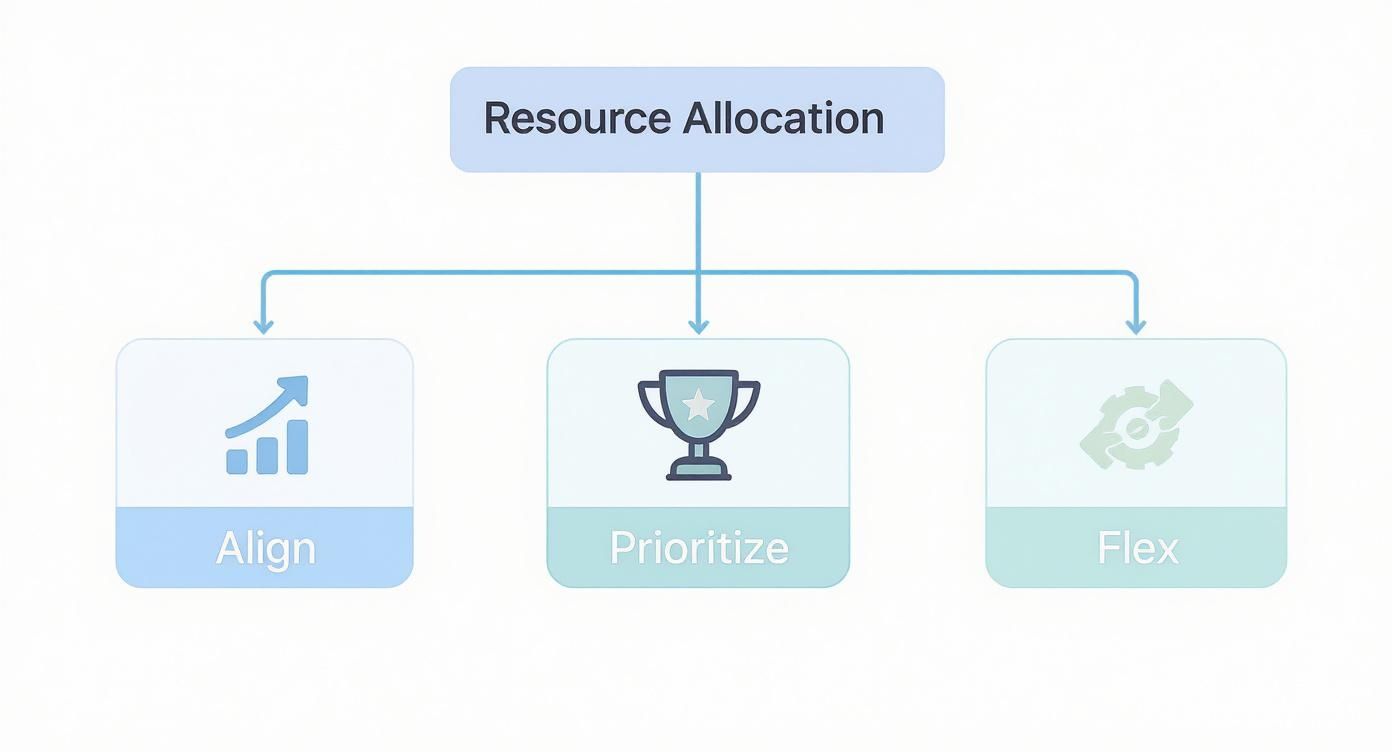
As you can see, alignment is always the starting point. Get that right, and you're on your way to building a system that can respond to just about anything.
MoSCoW Analysis for Project Requirements
The MoSCoW method is a refreshingly simple way to get everyone on the same page about what’s important in a project. It forces teams to sort features into four distinct buckets, neatly avoiding the classic trap where everything is somehow a “top priority.”
The categories are straightforward:
- Must-Have: These are non-negotiable. The project is a failure without them.
- Should-Have: Important, but not critical for the current release. Leaving them out is painful, but the solution still works.
- Could-Have: Desirable little extras. These are usually the first to go when time or money gets tight.
- Won't-Have (this time): Things the team has agreed not to include in the current release, which is a great way to stop scope creep in its tracks.
Actionable Step: During your next project kick-off meeting, dedicate 30 minutes to a MoSCoW session. Use a whiteboard (physical or virtual) and have all stakeholders vote on the category for each proposed feature. This collaborative exercise builds immediate consensus.
Value vs. Effort Matrix for Quick Wins
When you need to make fast, impactful calls, the Value vs. Effort matrix is your best friend. It helps teams spot which tasks will deliver the most bang for the least buck. This is a game-changer for IT support teams, product backlog grooming, and small operational fixes.
You just plot your tasks on a simple four-quadrant grid:
- High Value, Low Effort (Quick Wins): Do these now. They offer the best return on investment. A great example is fixing a recurring login bug that annoys lots of users but only needs a small code change.
- High Value, High Effort (Major Projects): These are the big strategic moves that need proper planning and resources.
- Low Value, Low Effort (Fill-ins): Tackle these when you have a bit of downtime, but don't let them distract you from more important work.
- Low Value, High Effort (Time Sinks): Avoid these like the plague. They drain resources and give you very little in return.
Actionable Step: Make this matrix a standing part of your weekly team meetings. Spend 15 minutes plotting new requests onto the grid to decide what gets tackled immediately and what goes into the backlog.
Comparing Resource Prioritization Frameworks
Picking the right framework is all about context. A system built for a massive software project is probably overkill for managing daily support tickets. To help you choose, I’ve put together a quick comparison of the common frameworks. And if you need more help defining who does what within these systems, our guide on creating a Responsibility Assignment Matrix can help clear things up.
The goal of any framework is not to add bureaucracy, but to remove ambiguity. A shared system for making choices reduces conflict, speeds up decision-making, and ensures resources consistently flow toward what creates genuine business value.
Here's a look at how some of the most common frameworks stack up in an IT setting.
Comparing Resource Prioritization Frameworks
| Framework | Best For | Key Benefit | Potential Drawback |
|---|---|---|---|
| MoSCoW | Defining scope and project requirements with multiple stakeholders. | Creates clear, shared understanding of what is critical versus what is nice to have. | Can lead to stakeholders trying to classify too many items as "Must-Haves." |
| Value vs Effort | Quick prioritisation of backlogs, bug fixes, or small improvement tasks. | Simple, fast, and highly visual. Excellent for identifying quick wins and building momentum. | Value and effort can be subjective and may require team consensus to estimate accurately. |
| WSJF | Prioritising large, complex development roadmaps with interdependent features. | Provides a data-driven, economic view of prioritisation by factoring in cost of delay. | Can be complex to calculate and may require significant data and analysis to be effective. |
Ultimately, the best framework is the one your team will actually use. Start simple, see what works, and don't be afraid to adapt it to fit your specific needs.
Resource Allocation Examples from the Real World

Frameworks and theories are a great starting point, but the real test is how they hold up on a typical Tuesday afternoon. Strategic allocation of resources isn’t some abstract thought exercise; it’s a series of practical, everyday decisions.
To make these concepts tangible, let's look at three mini case studies straight from the IT trenches. Each one starts with a common problem, walks through the allocation strategy used, and finishes with the measurable business outcome. These examples show how deliberate choices about software, hardware, and people's time can create some serious wins.
Case Study 1: Reallocating Expensive Software Licences
The Problem: A mid-sized marketing firm was spending a fortune on premium design and analytics software. With the annual renewal date looming, the finance team had a hunch that many of these expensive licences were just gathering digital dust, assigned to employees who no longer used them.
The Strategy: Instead of just hitting "renew" on everything, the IT director launched a data-driven audit. They used endpoint analytics to track application usage across the entire organisation for 90 days. The data was crystal clear: nearly 30% of the premium licences hadn't been launched once in the past three months.
The strategy was simple but incredibly effective:
- Identify Inactive Users: Pinpoint every user with an assigned licence showing zero or minimal usage.
- Communicate and Reclaim: IT contacted these users to confirm they no longer needed the software, then de-provisioned and reclaimed the unused licences.
- Create a Licence Pool: The reclaimed licences went into a central pool, ready to be assigned on request for new projects or new hires. No more buying new ones when they already had some available.
The Outcome: The firm cut its annual software spend by over £45,000. More importantly, it established a proactive licence management process, ensuring this critical resource was always in the hands of people who would actually generate value with it.
Case Study 2: Optimising Hardware for Maximum ROI
The Problem: A growing software company was planning a company-wide hardware refresh. The easy path was to give every employee the same standard-issue laptop to simplify purchasing and support. But the development team was struggling, complaining that their machines choked when compiling code and running virtual environments, creating daily bottlenecks.
The Strategy: The CIO decided against the one-size-fits-all approach. They segmented the workforce based on job function and performance needs, creating a tiered hardware allocation strategy. High-performance, memory-rich machines were given to developers and data scientists. Meanwhile, more cost-effective standard models went to administrative, sales, and support staff whose roles were less computationally demanding.
This shift in thinking moves hardware from a simple operational cost to a strategic investment in productivity. The goal isn't just to give everyone a computer; it's to give them the right computer for the job.
The Outcome: While the initial hardware cost was slightly higher, the return on investment was immediate. The development team reported a 15% reduction in build times, which meant they could ship features faster. Employee satisfaction also shot up, as everyone felt they finally had the right tools for their job.
This same principle of targeted allocation happens on a much larger scale, too. The Dutch government, for example, strategically reallocated public funds toward climate action, dedicating 47.8% of its total financial contribution to green initiatives. This included targeted subsidies for vulnerable households to improve home insulation, applying resources where they could make the biggest long-term impact.
Case Study 3: Redirecting Team Hours to High-Impact Work
The Problem: At a fintech company, a project manager noticed their team was spending almost half its time on low-impact maintenance for a legacy system. This reactive work was necessary, but it was eating up the hours they desperately needed to build a critical new feature—a top priority for the quarter from executive leadership.
The Strategy: The manager re-evaluated the team’s time, their most precious resource. They put a strict prioritisation model in place, allocating 60% of the team’s weekly hours exclusively to the new feature. Another 20% was reserved for critical bug fixes on the legacy system, and the final 20% was for planned maintenance. Non-critical requests were simply added to a backlog for the next quarter. If you're curious how other industries handle this, look at how field service management software for resource efficiency helps streamline operations.
The Outcome: The team launched the new feature on schedule, leading to a direct and measurable increase in customer engagement. By making a conscious decision about how to allocate their time, the manager steered the team away from low-value work and toward a project that directly supported the company's biggest goals.
Using Data to Guide Your Allocation Strategy
Guesswork is the enemy of smart resource allocation. All the real-world examples we have looked at share a common thread: the decisions were driven by objective data, not gut feelings or old assumptions. Without knowing how your assets are actually being used, you are essentially flying blind.
Making data-driven allocation a reality starts with visibility. Modern IT teams simply cannot afford to operate without real-time insights into what’s happening across their digital estate. This means moving beyond simple inventory lists and embracing tools that measure what people are actually doing.
The core principle is simple but powerful: you cannot optimise what you cannot measure. Real-time data turns resource allocation from a subjective debate into a strategic, evidence-based process.
This data gives you the ground truth needed to make defensible decisions. It validates your choices and helps you show the tangible impact of your strategy to stakeholders, transforming IT from a cost centre into a genuine value driver.
From Raw Numbers to Strategic Insights
The key is to collect metrics that directly answer your biggest allocation questions. It’s not enough to know what you have; you need to know how it's being used. This is where tools that give you deep visibility into employee activity, application usage, and system performance become indispensable.
Here are the essential data points you should be tracking:
- Application Usage: Which software is used every day, and which licences are just collecting dust? Tracking this helps you reclaim underutilised assets, just like in our software licence example.
- User Activity Metrics: Are your people able to work without constant interruption? Data on keyboard and mouse activity can show if high-performance hardware is genuinely improving productivity or if workflows are just plain inefficient.
- System Performance and Uptime: Are your systems helping or hindering your teams? Uptime data ensures your critical infrastructure is reliable and allocated to the right places.
This kind of information paints a clear picture of day-to-day operations. For example, a dashboard like the one in WhatPulse can offer a real-time view of application usage and user activity across your organisation.
A dashboard like this makes it easy to spot trends—like which applications are most popular or when teams are most active—giving you the direct evidence needed for smarter resource allocation.
Turning Data into Actionable Steps
Collecting data is just the first step. Turning it into a strategic advantage requires a clear process. Once you have visibility, you can start connecting the dots between usage patterns and business outcomes, leading to more informed and effective decisions.
Follow these steps to build a data-driven allocation cycle:
- Establish a Baseline: First, measure where you are right now. Understand your average software usage, typical employee activity levels, and current hardware performance. This baseline is your starting point for measuring any improvement.
- Identify Inefficiencies and Opportunities: With your baseline set, start analysing the data for outliers. Look for expensive software that is rarely opened, teams whose workflows are constantly interrupted, or hardware that is either underpowered or over-specified for the user's role.
- Propose and Implement Changes: Use what you have found to make specific, targeted changes. Reallocate licences from inactive users, upgrade hardware for power users struggling with performance, or provide training for underused apps that could boost productivity.
- Measure the Impact: After making changes, go back to your data. Did reallocating those high-performance laptops actually reduce project completion times? Did reclaiming unused software licences result in measurable cost savings without hurting team output?
This continuous loop of measuring, analysing, and acting is the foundation of a mature resource allocation strategy. It makes sure your decisions are always grounded in reality. To dig deeper, you can discover more about building a culture of data-driven decision-making in our detailed guide.
By consistently following this process, you create a system that not only saves money but also actively improves productivity and operational effectiveness across the board.
Tracking KPIs That Measure Allocation Success
How do you prove your new allocation of resources strategy is actually working? Moving beyond the simple question of "did we stick to the budget?" is critical. To show real impact, you need key performance indicators (KPIs) that measure efficiency and value, not just how much you’ve spent. These metrics give you objective proof that your decisions are paying off.
The data you gather on asset usage is the foundation for calculating these kinds of insightful KPIs. Without it, you're back to making educated guesses. With it, you can accurately report on the metrics that really matter to the business.
Key Metrics for Allocation Efficiency
To get the full picture of your success, you can focus on a few core KPIs. These are the ones that shift the conversation from "How much did we spend?" to "What value did we get for that spend?"
Here are three essential KPIs to start tracking:
- Resource Utilisation Rate: This metric shows you how effectively your assets are actually being used. For software, this is the percentage of purchased licences that are actively used by employees. For hardware, it might be the average CPU load on your servers. A low rate is a clear signal of wasted money and an opportunity to reallocate. Actionable Step: Set up a monthly automated report that flags any software licence with less than 5 hours of usage in the past 30 days.
- Cost Avoidance: This isn't about slashing budgets, but making them go further. It measures the money you saved by reallocating existing resources instead of buying new ones. Reassigning an unused software licence instead of purchasing another is a perfect example of cost avoidance in action. Actionable Step: Create a simple spreadsheet to log every time a resource is reclaimed and redeployed. Multiply the number of redeployments by the unit cost to calculate your total cost avoidance each quarter.
- Project Delivery Velocity: This KPI tracks the speed at which your teams complete their work. If your resource allocation is effective—for instance, giving developers better hardware to work on—you should see an increase in velocity over time. This metric connects your resource investment directly to productivity gains.
Tracking these KPIs provides a clear, defensible story about the success of your strategy. For a more advanced approach that connects project costs and progress, you can learn more about applying Earned Value Management in your projects.
From Local Tactics to Global Strategy
This principle of tracking dedicated allocations extends well beyond corporate IT. Governments use similar methods to direct public funds toward strategic priorities.
Take the Netherlands’ allocation of official development assistance, for example. In 2023, the country deliberately allocated 7.4% of its gross bilateral aid, or USD 378.6 million, to support land-locked developing countries. This targeted approach ensures that significant resources are funnelled towards specific, high-priority international goals. You can discover more about these Dutch development co-operation profiles on oecd.org.
The core lesson is universal: successful allocation isn't a one-time decision but a continuous cycle of measurement, analysis, and adjustment. Whether you are managing software licences or international aid, the goal is to ensure every resource delivers the maximum possible impact toward your strategic objectives. By tracking the right KPIs, you can prove that your allocation strategy is not just an exercise in control, but a powerful driver of efficiency and value.
Of course. Here is the rewritten section, designed to match the expert, human-written style of the provided examples.
Common Questions About IT Resource Allocation
Even with the best frameworks in place, actually changing how your company handles its resources brings up some tough questions. Let's walk through some of the most common hurdles and how to clear them.
How Do I Get Buy-In from Leadership?
Getting your leadership team on board means speaking their language: value and risk. Forget about the process for a moment and focus on the business case.
Use hard data to show them the real cost of not changing. You can highlight wasted software spend, frustrating project delays, or even team burnout. Frame your proposal as the solution. For example, show how tracking application usage could cut annual software costs by 20%, or how reallocating the right hardware can speed up product development and directly boost revenue. Actionable Step: Create a one-page "Business Case for Smarter Allocation" document. Include three key data points (e.g., current software waste, estimated productivity gain) and a clear request for the specific tool or process change you want to implement.
What Are the First Steps with No Formal System?
If your organisation doesn't have a formal process, don't try to boil the ocean. The key is to start small and build momentum.
Pick one area that's a known source of pain but also highly visible. This could be managing a few expensive software licences or tackling the ever-growing IT helpdesk backlog. Use a simple framework, like a Value vs. Effort matrix, to score some quick wins. Successfully optimising one small area creates a powerful case study you can use to justify expanding your efforts.
The most effective way to start is by creating visibility. You can't manage what you can't see. Putting a tool in place to simply measure current resource usage is the single most important first step.
How Should I Handle Resource Conflicts?
It's going to happen. Two teams need the same limited resource, and conflict is inevitable. The solution is to have an objective, transparent framework ready for making the decision.
Always bring the conversation back to your strategic goals. Which request delivers more value? Which one better aligns with the company's top priorities right now? By relying on your chosen prioritisation method—whether that's MoSCoW, WSJF, or a simple value score—you remove emotion from the discussion. This makes the final decision defensible and ensures the outcome serves the whole organisation, not just the loudest voice in the room. Actionable Step: Document your tie-breaking process in advance. For example: "When two projects with the same priority score compete for a resource, the one with the highest 'Cost of Delay' (a WSJF component) will be prioritised." Share this rule with all stakeholders so it's understood before a conflict arises.
Ready to replace guesswork with real data? WhatPulse provides the visibility you need to make smarter resource allocation decisions. See exactly how your software and hardware are being used, identify waste, and optimise your IT assets with a privacy-first analytics platform. Get started and drive efficiency at https://whatpulse.pro.
Start a free trial