

Ever feel like your to-do list is a chaotic mess, a mix of genuine priorities and distracting noise? Imagine having a filter that automatically sorts it all for you. That’s the core idea behind the matrix of time management, a simple but incredibly powerful way to make smarter decisions about your time. It helps you shift from just being busy to being genuinely effective.
What Is the Time Management Matrix
The time management matrix, most famously known as the Eisenhower Matrix, is a decision-making tool that helps you organise everything on your plate using two simple criteria: urgency and importance. Instead of just going with your gut or tackling whatever task is making the most noise, this method gives you a clear structure to evaluate your work.
Think of it as a seasoned project manager for your brain. It forces you to pause and ask a couple of critical questions before diving in: "Does this actually move my long-term goals forward?" and "Does this really need my attention right now?" Your answers to those questions will slot each task into one of four distinct categories, or quadrants.
This simple act of sorting cuts down on decision fatigue and brings real clarity to what deserves your energy. By learning to separate what's urgent from what's truly important, you start proactively managing your schedule instead of constantly reacting to crises.
The Four Quadrants of Productivity
The matrix is a simple 2x2 grid that gives you a visual map of your priorities. The real magic is that each quadrant comes with a specific action plan, turning that overwhelming list into an organised workflow.
Here’s a quick breakdown of the four quadrants, what goes in them, and what you should do about it.
| Quadrant | Description (Types of Tasks) | Action to Take |
|---|---|---|
| Quadrant 1 | Urgent & Important: These are the fires you have to put out. Crises, pressing problems, and hard deadlines. Think of a major project deadline that's due today or an unexpected server outage. | Do |
| Quadrant 2 | Not Urgent & Important: This is where strategic growth happens. It includes things like long-term planning, building relationships, learning a new skill, or preventative maintenance. | Schedule |
| Quadrant 3 | Urgent & Not Important: These are often interruptions disguised as work—many emails, pointless meetings, or minor requests from others that demand your time but don't align with your goals. | Delegate |
| Quadrant 4 | Not Urgent & Not Important: This quadrant is home to distractions and time-wasters. Think mindless scrolling, trivial tasks, or any activity that offers no real value. | Eliminate |
By sorting your tasks into these categories, you're no longer just looking at a list; you're looking at a clear, actionable plan.
The visual below illustrates these four core actions you'll take depending on where a task lands.
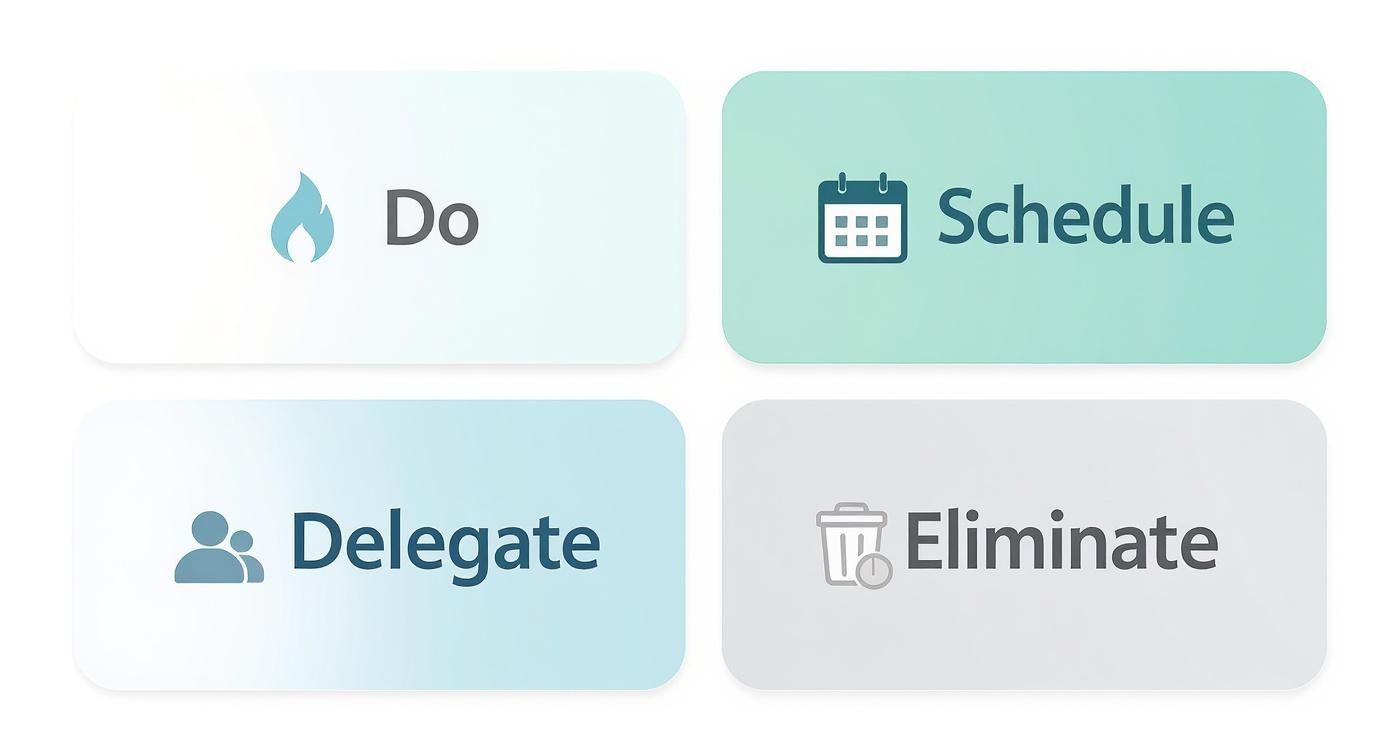
This approach makes decision-making almost automatic by assigning a clear verb—Do, Schedule, Delegate, or Eliminate—to every single item on your list.
This focus on high-impact work over just putting in long hours is perfectly mirrored in the Dutch approach to productivity. The Netherlands has one of Europe’s highest GDP per capita rates, yet they also have the shortest average workweek in the EU at just 32.1 hours. It’s a powerful reminder that focusing on what matters is far more effective than just working more. You can read more about the Dutch work-life balance on Fortune.com.
For more general advice, you might also be interested in our guide on tips in time management.
How to Build Your Personal Time Matrix
Okay, so you understand the theory behind the matrix of time management. Now, let’s get practical. Moving from concept to action is a straightforward process, and it’s less about fancy software and more about building a new way of thinking. You can grab a pen and paper, use a whiteboard, or fire up a simple tool like Trello—the medium doesn’t matter nearly as much as the method.
The first step is a good old-fashioned brain dump. Write down every single thing on your mind, big or small, work or personal. Don't try to filter or organise it yet. The goal is just to get it all out of your head and onto the page. Your list might have everything from "Finish the quarterly report" to "Book a dentist appointment" and "Research new project management software."

Evaluate Each Task by Urgency and Importance
With your full list in front of you, it’s time to go through it, item by item. You need to be brutally honest here as you assess each task against two simple criteria: urgency and importance. It’s incredibly easy to mistake something that’s urgent for someone else as being important to you.
To cut through the noise, ask yourself these two questions for every single task:
- Is it Important? Does this directly help me reach my long-term goals, fulfil my core duties, or improve my well-being? If the answer is no, it's not important.
- Is it Urgent? Does this have an immediate, hard deadline? Will there be serious trouble if it's not done right away? If not, it's not urgent.
Answering these helps you slot every item from your brain dump into one of the four quadrants. "Finish quarterly report due today" is a clear Quadrant 1 task (Urgent and Important). But something like "Research professional development courses" is important for your future but not due this afternoon—a classic Quadrant 2 item.
A common trap is letting other people's emergencies dictate what feels important. Just because a colleague slapped an 'urgent' flag on an email doesn't automatically make it a priority for your strategic goals. Your matrix needs to reflect your priorities, not just react to everyone else's demands.
Putting It All Together
Once you've sorted everything, you've got a clear action plan. The final, crucial step is turning this one-off exercise into a sustainable habit. This is where the real value of the matrix kicks in, transforming you from a reactive firefighter into a proactive, goal-driven professional.
To make it stick, try these simple, actionable steps:
- Start Your Day with It: Before checking emails, take 10 minutes to draw your matrix and place your top 3-5 tasks for the day. This creates immediate focus.
- Limit Each Quadrant: To avoid feeling overwhelmed, try to keep each quadrant to no more than 8-10 tasks. This forces you to make tough, honest decisions about what really matters. If a quadrant is full, you must decide what to remove before adding something new.
- Review Weekly: Block out 30 minutes every Friday afternoon. Use this time to look back at your progress, move tasks between quadrants as priorities shift, and plan for the week ahead by scheduling your Quadrant 2 items first.
By consistently using this framework, you’ll build a powerful habit that gets you out of the weeds and focused on the work that actually moves the needle.
Making Smarter Decisions with Each Quadrant
Okay, you’ve sorted your tasks. Now for the fun part. The real magic of the matrix of time management isn't just in the sorting; it’s in knowing exactly how to react to what’s in each quadrant. It’s a dynamic guide for your day, not a static list you make once and forget.
Each quadrant has its own rules of engagement. Mastering this means turning abstract ideas like "important" and "urgent" into clear, immediate actions. Let's break down the best way to handle the tasks in each box.

Quadrant 1: Do It Now
This is your fire-fighting quadrant. It’s home to everything that is both urgent and important. The goal here is simple: get it done. Execute these tasks immediately and efficiently before they can throw your entire day off course.
Actionable Step: Use a "single-tasking" approach. Turn off all notifications, close unnecessary tabs, and dedicate a focused block of time to complete one Quadrant 1 task from start to finish.
But here’s a word of warning: if your Quadrant 1 is always full, you’re living in a constant state of reaction. The real long-term strategy is to shrink this box by spending more time in Quadrant 2.
Quadrant 2: Schedule It
Welcome to the quadrant of real growth and high-impact work. These are the tasks vital to your long-term success, but they don’t have screaming deadlines attached. That makes them dangerously easy to push off. The only way to win here is proactive scheduling.
The secret to long-term success lies in Quadrant 2. By scheduling dedicated time for these activities, you transform from a firefighter into an architect of your own success, preventing future crises before they even begin.
Actionable Step: Open your calendar right now and block out specific, non-negotiable time slots for your top Quadrant 2 tasks. For example, add a recurring 90-minute block on Tuesday mornings for "Strategic Project Planning" or 30 minutes on Friday for "Professional Development."
Treat these appointments with yourself as seriously as you would a meeting with your most important client. This is how deep work, strategic planning, and relationship-building actually get done.
As you learn to make smarter decisions with each quadrant of your time matrix, a proven framework for sharpening executive functions can significantly enhance your ability to effectively prioritise and achieve your objectives.
Quadrant 3: Delegate It
Quadrant 3 is full of traps. These tasks are urgent, but they aren't important—at least not to your core goals. They’re the biggest productivity killers because their urgency tricks you into thinking they matter more than they do. You have to recognise them for what they are: interruptions.
Actionable Step: Before automatically saying "yes" to a request, pause and use the "4 D's": Do, Delegate, Defer, or Delete. For Quadrant 3 tasks, focus on Delegating. Identify a team member who could handle the task or use an automation tool (like email rules) to manage it without your direct involvement.
Ask yourself a few simple questions:
- Does this actually need my specific skills? If the answer is no, it’s a prime candidate for delegation.
- Could this be a growth opportunity for someone else? Delegating isn't just about offloading; it's about empowering your team.
- Can a tool do this? Sometimes, the best person for the job is a piece of software.
Learning to say a firm "no" or a polite "not right now" is a crucial skill for protecting your focus and keeping this quadrant under control.
Quadrant 4: Eliminate It
Finally, we arrive at the tasks that are neither urgent nor important. These are the time-wasters, the mindless activities that add zero value to your work or life. The only strategy here is ruthless elimination.
Actionable Step: Identify your top 1-2 time-wasters (e.g., checking social media, reading non-essential news) and set a specific, measurable goal to reduce them. Use a website blocker app for a set period each day or schedule a 15-minute "distraction break" in the afternoon to contain these activities instead of letting them creep into your entire day.
This isn't just a personal productivity hack; it’s a philosophy reflected in national policies. In the Netherlands, for instance, employers generally cannot require work on Sundays or for more than 12 hours a day, reinforcing a hard line between productive work and personal time. You can find more about the Dutch legislative framework on 4dayweek.io.
Using the Matrix for Team Project Management
The real power of the time management matrix is unlocked when it moves beyond your personal to-do list and becomes a shared framework for your entire team. It’s a game-changer for project management, turning a mess of individual priorities into a unified, transparent action plan.
Scaling this simple tool helps get everyone aligned on what actually matters, clarifies who is responsible for what, and pushes the entire team toward the same finish line.
The key is to collaboratively define what "Important" and "Urgent" mean in a team context. An urgent task for one person might be a minor issue for the project's overall progress. A team-wide matrix forces these crucial conversations, ensuring everyone operates from the same playbook.
Creating a Shared Team Matrix
To get started, pull your team together for a collaborative session. The goal here isn’t just to fill in boxes; it’s to build a matrix that reflects project milestones and organisational objectives, not just individual workloads. This isn't about micromanagement. It's about creating clarity and shared focus.
Here’s a practical, step-by-step way to do it:
- Define "Important": As a group, agree on what activities directly contribute to your main project goals or KPIs. Is it shipping a new feature? Closing a major client? Improving system stability? These are your Quadrant 2 objectives.
- Define "Urgent": Clearly outline what makes something a true team-level emergency. This usually means hard deadlines, critical client-facing bugs, or blockers that are stopping multiple people from getting their work done.
- Populate Collectively: Fire up a shared digital whiteboard or a project management tool. Have each team member add their key tasks, and then, as a group, discuss where each one fits. This discussion is where the real alignment happens.
By defining these terms together, you eliminate ambiguity. When a team member says a task is "urgent and important," everyone understands the precise business impact behind that label. This alignment is fundamental for effective team prioritisation.
A shared definition is the difference between a team that’s busy and a team that’s productive. One of the clearest ways to see this in action is by comparing how the matrix works for an individual versus a team.
Individual vs. Team Matrix Application
This table breaks down the subtle but critical differences.
| Aspect | Individual Application | Team Application |
|---|---|---|
| Goal | Manage personal workload and reduce stress. | Align on project goals and improve collective output. |
| "Important" Definition | Tasks tied to personal performance and career goals. | Activities that directly impact project milestones or KPIs. |
| "Urgent" Definition | Tasks with immediate personal deadlines. | Issues with hard deadlines or that block other team members. |
| Accountability | Self-accountability. | Shared responsibility and peer accountability. |
| Tool | Personal to-do list, notebook, or app. | Shared digital whiteboard, project management tool. |
For individuals, the matrix is a shield against distraction. For teams, it's a compass that points everyone in the same direction.
Integrating the Matrix into Team Workflows
A shared matrix is only useful if it’s a living document that’s actually used. It needs to be woven into your daily and weekly routines. It should be a central point of reference during key project meetings, helping to guide discussions and decisions.
Actionable Step: At your next team meeting, use a shared matrix on a whiteboard as the agenda. Start by populating it with current tasks and blockers. This immediately focuses the discussion on priorities, resource allocation, and problem-solving, making the meeting more efficient and action-oriented.
For example, you can use the matrix to structure your daily stand-ups. Instead of just going around the room, focus the conversation on Quadrant 1 blockers and the progress being made on scheduled Quadrant 2 tasks. This approach keeps everyone focused on what drives the project forward.
This method works especially well if you're already using agile methods. You can learn more about how these concepts overlap in our detailed guide on Scrum project tracking.
When done right, a team matrix also provides robust strategies for managing multiple projects effectively. It prevents team burnout by making workloads visible, balanced, and focused on what truly matters.
Ultimately, it shifts the conversation from "who is busiest?" to "are we collectively working on the right things?". That's a shift every team should be aiming for.
How to Measure Your Productivity Gains
Adopting a matrix of time management is a great start, but how do you actually know if it's working? Measuring your progress is what turns this framework from a good idea into a genuine habit. Without data, you're just guessing.
The real goal here is to shift from being reactive to proactive. That means tracking a clear change in how you spend your time across the four quadrants. Success isn't about getting rid of Quadrant 1 completely—crises will always pop up—but it is about shrinking its control over your schedule.

Identifying Your Key Performance Indicators
To see any gains, you first need to define what success looks like. Just focus on a few simple but powerful key performance indicators (KPIs) that connect directly back to the principles of the matrix.
Your two main KPIs should be:
- Time in Quadrant 1 (Crisis Mode): Track how many hours you spend on urgent and important tasks each week. The goal is to see a steady reduction over time.
- Time in Quadrant 2 (Strategic Mode): Measure the time you successfully set aside for important, non-urgent activities. Here, you're looking for a consistent increase.
Actionable Step: At the end of each week, take 15 minutes to review your completed tasks. Use a simple color-coding system in your calendar or to-do list (e.g., Red for Q1, Green for Q2). Tally the results to get a rough percentage for each quadrant. Aim to decrease your "Red" percentage by 5% and increase your "Green" percentage by 5% over the next month.
A simple weekly review is a great way to begin. If you want more precision, an analytics tool can help you establish clear baseline metrics for continuous improvement, giving you objective data on where your time truly goes.
The most powerful metric of success is the growth of Quadrant 2. This quadrant is an investment in your future, as it's where you actively prevent tasks from becoming tomorrow's emergencies.
Tracking Your Progress and Refining Your Approach
Once you have your KPIs, you need a system to track them. This doesn't need to be complicated. A simple spreadsheet or a digital tool can work perfectly for logging your time allocation at the end of each week.
This data-driven approach helps you spot patterns. Are you constantly losing time to Quadrant 3 interruptions? Is your dedicated Quadrant 2 time being protected, or is it always getting rescheduled?
This need for structured time is particularly relevant as our work patterns change. Research shows that Dutch workers spend an average of 8.9 hours per day sitting, and those working from home can sit for up to 6.9 hours during work. This really highlights how important it is to manage your schedule to protect both your productivity and your well-being. You can find more insights from the Netherlands Working Conditions Survey on CBS.nl.
By regularly reviewing your metrics, you can refine your matrix, adjust your priorities, and turn time management into a skill you can measurably improve for good.
Common Questions About the Time Management Matrix
Even the best frameworks raise a few questions when you start putting them into practice. The matrix of time management is powerful, but getting comfortable with its finer points is what makes it stick. Let's walk through some of the most common hurdles people hit, with clear answers you can use right away.
Getting stuck for a moment is perfectly normal. These tips are designed to help you push through and make the system your own.
What If a Task Feels Both Urgent and Important?
This is the textbook definition of a Quadrant 1 task, and the rule is straightforward: do it immediately. These are the fires you have to put out, the crises and deadlines that can't wait.
But here's the catch: if your Quadrant 1 is always full, that’s a huge red flag. It’s a sign that you’re stuck in a reactive, firefighting mode instead of working proactively. The real solution isn’t to get better at fighting fires, but to stop them from starting in the first place.
Actionable Step: When you complete a Quadrant 1 task, spend two minutes asking: "What Quadrant 2 activity could have prevented this?" For example, if you had to rush a report (Q1), the preventative action might have been scheduling research time last week (Q2). This helps you identify future Quadrant 2 tasks.
The long-term fix is to spend more time in Quadrant 2 (Schedule). When you proactively plan and work on important tasks before they become urgent, you start to shrink the number of emergencies that pop up.
How Do I Decide Where an Ambiguous Task Belongs?
It's pretty common for a task to feel like it could fit in a couple of different boxes. When you’re not sure where something goes, a couple of simple questions can cut through the noise and give you clarity.
First, to figure out importance, ask yourself:
- "Does this task get me closer to my most critical long-term goals or our team's main objectives?" If the answer is a clear "no," it isn't truly important.
Next, to figure out urgency, ask:
- "Will there be serious, immediate consequences if I don't get this done today?" If the answer is "no," it isn't genuinely urgent.
If you’re still on the fence, try breaking the task down. A small part of a big project might be urgent (like sending a quick confirmation email), while the rest can be scheduled for later. The matrix is a guide, not a rigid set of laws; your own good judgment is always the final say.
The point of the matrix isn't to perfectly categorise every single task. It's to force a moment of critical thought, making sure your actions line up with your goals. A quick, thoughtful decision is far better than getting stuck in indecision.
Can This Matrix Stifle Creativity and Innovation?
This is a concern I hear a lot, but the reality is actually the complete opposite. The matrix of time management is one of the best tools for protecting and encouraging creativity. Real innovation and deep strategic work are classic Quadrant 2 activities—they are incredibly important but almost never have a pressing deadline.
Without a system, this is the first kind of work that gets pushed aside by the "tyranny of the urgent"—that constant stream of emails, pings, and small requests that gobble up the day. The matrix helps you build a fence around the time and mental space you need for creative thinking.
Actionable Step: Schedule a recurring "white space" or "deep thinking" block in your calendar as a Quadrant 2 task. This is dedicated, agenda-free time for brainstorming, exploring new ideas, or learning. By scheduling it, you treat creativity as a non-negotiable part of your work, not an afterthought.
It turns creativity from a nice-to-have into a scheduled priority.
Ready to stop guessing where your time goes and start making decisions based on real data? WhatPulse gives you the objective insights needed to truly master your time management matrix. See exactly how much time you spend in each quadrant, pinpoint your biggest time sinks, and measure the real impact of your efforts.
Start tracking your productivity with WhatPulse
Start a free trial