
A lot of teams start the same way. A spreadsheet for the roadmap. Slack for approvals. A shared doc for meeting notes. Then someone adds a Kanban board, someone else keeps a private to-do list, and the release manager starts chasing status by DM because nobody trusts the board anymore.
That setup works right up until it doesn’t. Deadlines drift. Ownership gets fuzzy. Admin work grows faster than the team. At that point, most IT and operations leads land on the same shortlist: monday.com and Asana.
Both are strong products. Both can run serious work. But they solve different problems, and the wrong choice gets expensive fast. Not just in licence cost. In workflow rebuilds, automation limits, reporting gaps, unused seats, and the quiet drag of a tool people tolerate instead of actively using.
If you're still narrowing your shortlist, Toolradar’s roundup of the best project management tools is a useful starting point. Once the list is down to these two, the harder question is practical fit.
At this point, the usual feature checklist stops being helpful. Technical teams need to know what happens after rollout. Who owns setup. How much governance you get. Whether automations scale. Whether dashboards tell the truth. Whether you can prove adoption instead of assuming it.
Introduction
Here’s the quick read for technical buyers.
| Area | monday.com | Asana |
|---|---|---|
| Core style | Visual, flexible work hub | Structured task and project management |
| Integrations | 200+ integrations | 400+ integrations |
| Automations | Basic 0, Standard 250/month, Pro 25,000/month | Unlimited across paid plans |
| Entry price | $9/user/month | $10.99/user/month |
| Best fit | Teams that want custom workflows and visual boards | Teams that need stronger task structure and heavier automation |
| Financial profile | Higher efficiency and stronger recent market preference | Broader integration and automation depth |
The rest of the decision comes down to operating model.
A product team with lots of dependencies, approvals, and cross-functional handoffs usually feels the difference quickly. A service desk or ops team that wants to shape boards around its own process may prefer the freedom monday.com gives. An IT admin looking at scale will care less about the home screen and more about governance, support load, and whether the platform turns into shelf-ware six months later.
That’s the lens I’d use for any monday vs. asana decision. Not “which has more features”. Which one your team will keep clean, keep current, and keep paying for because it’s doing real work.
The Core Philosophy A Visual Work Hub vs Structured Task Management
The difference shows up on day one.
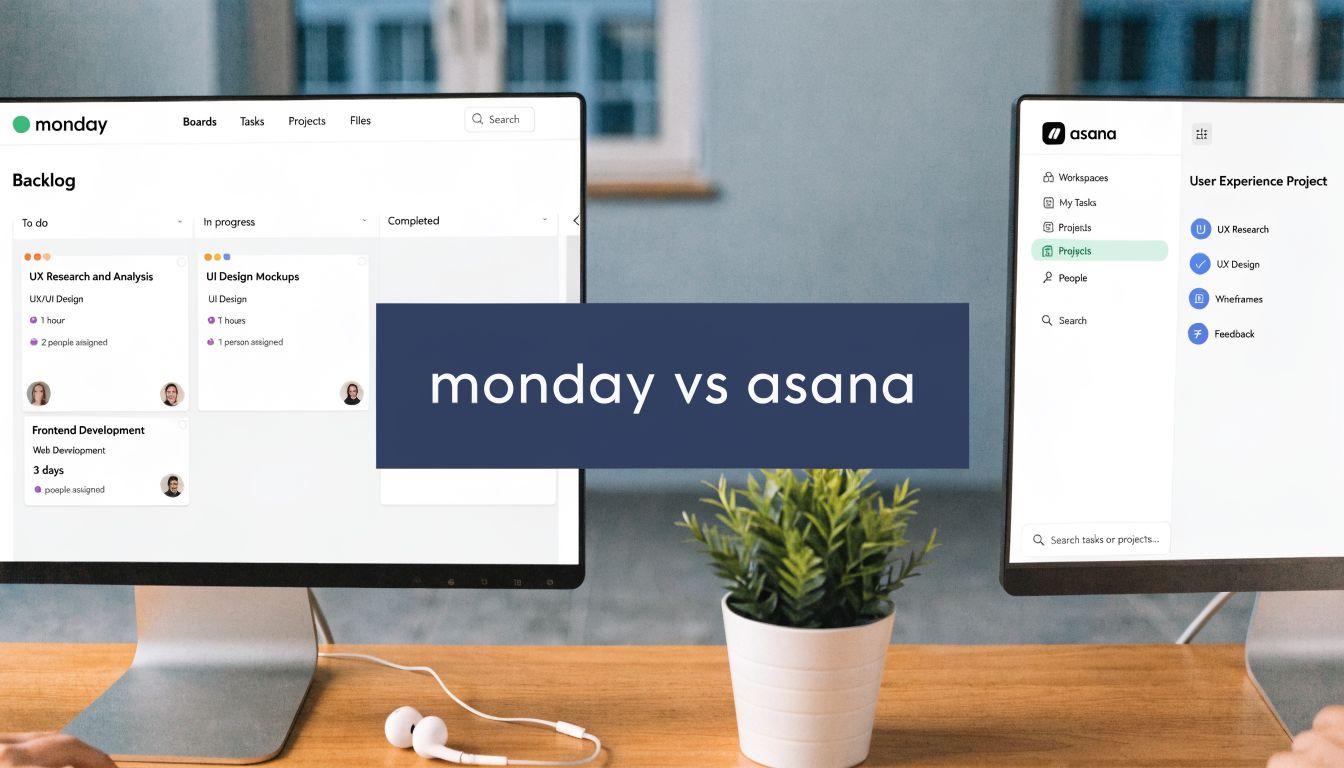
monday.com feels like a work hub. It gives you boards, columns, statuses, views, dashboards, and enough flexibility to bend the system into many shapes. If your team likes building its own operating model, that’s appealing.
Asana feels more like structured task management. Projects, tasks, subtasks, dependencies, timelines, and portfolios have a clearer opinion about how work should be organised. That sounds limiting until you’re trying to onboard a busy team that doesn’t want to design a system before using it.

monday.com is the Lego box
If I had to explain monday.com to an engineering manager, I’d call it the Lego version.
You can build a delivery board, a change calendar, an intake queue, a lightweight asset tracker, even something that starts to look like a CRM. That range is a strength. It also creates work. Somebody has to decide field design, naming conventions, automation logic, dashboard layout, permissions, and lifecycle rules for old boards.
That freedom works best when:
- The process isn’t fixed yet. Teams are still shaping how they run intake, triage, release planning, or handoffs.
- Different functions need different views. Ops, product, and leadership often want the same data shown in very different ways.
- A visual board really helps. Some teams think in statuses, colour, and board movement more than nested task structure.
The cost is inconsistency. If every manager builds their own version of “in progress”, your reporting turns into cleanup work.
Asana is the model kit
Asana is closer to a model kit. You still configure it, but the system pushes people towards a more standard way of planning and tracking work.
That matters in organisations where process discipline is weak. A clearer task model reduces arguments about where things should live. People spend less time designing a board and more time moving work through it.
Practical rule: If your team needs guardrails more than flexibility, Asana usually lands better.
This is also where Asana’s broader app ecosystem helps. Asana lists over 400 integrations compared with monday.com’s 200+, and it positions those integrations around live sync, handoffs, and cross-tool visibility on its Asana vs monday.com comparison page. That doesn’t make every integration better. It does mean fewer edge cases where the PM tool becomes a dead end in the wider stack.
What this means in day-to-day work
For technical teams, philosophy becomes admin load.
A DevOps team might like monday.com because it can mirror the way incidents, deployments, and requests already move. A product organisation managing launches across engineering, design, marketing, and leadership often benefits from Asana’s stronger task hierarchy and portfolio view of work.
A simple test helps:
| If your team says this... | Better fit |
|---|---|
| “We need one place to run lots of different workflows” | monday.com |
| “We need cleaner task execution and fewer process debates” | Asana |
| “We’ll customise this heavily” | monday.com |
| “We want people productive quickly” | Asana |
Neither philosophy is universally better. One gives you more room. The other gives you more shape. The right choice depends on whether your main problem is workflow design or workflow discipline.
Feature Deep Dive for Technical Teams
It usually starts the same way. Engineering wants a cleaner sprint view, IT operations wants automations for intake and approvals, and leadership wants reporting that does not collapse into CSV exports by month two. The right tool is the one that still works after six months of admin drift, new teams, and inconsistent process discipline.

Task structure and execution
monday.com is stronger at shaping work visually around a team’s existing process. If a platform squad wants columns for incident severity, deployment state, environment, owner, and release window, they can build that quickly and get people using it fast.
Asana holds up better once work needs hierarchy and consistency across teams. Parent tasks, subtasks, milestones, and dependencies are more central to how the product works, which reduces the amount of design work admins have to do just to keep delivery plans readable.
That trade-off shows up fast in technical environments:
Sprint planning
- monday.com suits teams that want a board-first backlog and easy status customisation.
- Asana suits teams that need planning tied to dependencies, milestones, and clearer ownership paths.
Bug tracking
- monday.com is quicker to tailor for intake and triage.
- Asana is easier to keep aligned with broader project plans once bugs trigger work across product, engineering, support, and QA.
Cross-functional delivery
- Asana usually handles handoffs with less process negotiation.
- monday.com can support the same flow, but consistency depends heavily on board design and local admin discipline.
I have seen monday.com boards look excellent in a rollout workshop and turn messy within a quarter because every team interpreted statuses differently. Asana is less flexible at the edge, but that constraint often lowers clean-up work later.
Automation and the operational ceiling
Automation affects headcount efficiency, not just convenience.
Asana has its clearest hard advantage in automation. monday.com places automation limits by plan, while Asana positions automation more generously across paid tiers on its product and pricing materials. For a small team, that may not matter. For an operations function routing requests, approvals, due dates, escalations, and recurring controls across many projects, those limits become part of the cost model.
The important question is not whether both products have automation. They do. The question is how often admins have to think about usage ceilings, which recipes are worth "spending," and whether teams start avoiding automation because they are trying to stay inside plan boundaries.
Asana also tends to fit better where workflows have formal review steps. Approval-style processes, recurring coordination work, and date-driven handoffs are easier to standardise when the platform starts from a stronger task model.
Integrations and API reality
Marketplace counts are only a rough signal. Technical teams care more about whether the platform fits into the systems they already run, and how much custom glue they will need to maintain.
Asana’s integration ecosystem is broader, as noted earlier in the article. monday.com still covers many common tools, and for some teams that is enough. The practical difference shows up when work data needs to pass cleanly between project management, documentation, ticketing, reporting, and internal systems without constant manual reconciliation.
API access matters even more once finance or IT asks a harder question: are we paying for active usage or for accounts that stopped contributing months ago? In that context, your own telemetry often becomes more useful than native activity dashboards. Teams building adoption reporting or licence audits can use the WhatPulse API for custom usage and reporting workflows to combine project-tool activity with broader workstation and endpoint signals.
That is also the point where total cost of ownership starts to separate from sticker price.
Dashboards and reporting
monday.com is usually better for fast, visual operational dashboards. If a department head wants a wallboard for stand-ups, service queues, or launch readiness, monday.com gets there quickly and looks polished with less setup.
Asana is usually better when reporting needs to mirror delivery structure. Portfolio views, cross-project status tracking, and workload reporting are more useful for programme leads trying to see whether dependencies, ownership, and deadlines are holding together across multiple teams.
A practical split looks like this:
| Reporting need | Better fit |
|---|---|
| Executive-facing visual dashboards | monday.com |
| Cross-project status and workload visibility | Asana |
| Team-level board customisation | monday.com |
| Portfolio-level project tracking | Asana |
Neither approach is better. One favours presentation speed. The other favours coordination logic.
AI features for real work
AI is still a secondary buying factor for technical teams. Process quality, admin overhead, and governance matter more.
Even so, context handling matters. Asana has been clearer in positioning AI around shared project context, while monday.com’s AI experience is more tied to individual interactions and workspace setup. For teams hoping AI will help with workload summaries, project updates, or workflow support, continuity across projects matters more than flashy prompts.
I would not buy either platform for AI alone. I would evaluate whether the AI features reduce admin effort in real workflows, or create more output to review.
What works and what doesn’t
What works with monday.com:
- Custom boards for non-standard technical processes
- Fast visual adoption for teams that operate in board states
- Dashboards for leadership, service reviews, and operational stand-ups
What doesn’t work as well:
- Structured project trees across complex programmes
- High-volume automation on lower tiers
- Long-term consistency across many self-built workflows
What works with Asana:
- Complex project execution with multiple stakeholders
- Automation-heavy environments with recurring process controls
- Organisations that want stronger task discipline by default
What doesn’t work as well:
- Teams that want to turn the platform into many different non-project workflows
- Buyers focused mainly on visual board customisation
For regulated teams, there is one more practical angle. If workflow data, approvals, and access patterns feed into audit evidence, the platform that needs less improvisation is often easier to govern against ISMS standards like ISO 27001. That does not make Asana universally better. It does mean monday.com usually needs tighter design rules if you want flexibility without sprawl.
Admin Controls Security and Governance
For IT, the prettiest board in the world doesn’t matter if governance is weak.
The primary evaluation starts with user control, role boundaries, guest handling, and how much cleanup your admins will have to do after the first enthusiastic month. Most project management rollouts fail here. Too many boards. Too many owners. Too many stale automations. Nobody sure who can see what.

Governance is mostly about limits
In practice, good governance means setting boundaries before rollout.
That includes:
Workspace design
- Decide whether teams can create their own spaces or whether PMO or IT controls structure centrally.
Permission rules
- Limit who can publish automations, dashboards, and shared templates.
Guest policy
- External users are useful. They also create review overhead if nobody owns lifecycle management.
A lot of this is less about the vendor’s security page and more about whether the product nudges people towards sprawl. monday.com’s flexibility can create that sprawl faster. Asana’s tighter structure reduces some of it, though it can still happen if project creation is uncontrolled.
Security review needs more than a badge list
For EU-based organisations, governance also means data handling and transparency. You need to know what the platform stores, how access is managed, and whether your own internal usage monitoring respects the same standards.
If your team is building an internal software governance model around privacy-first operations, this explainer on ISMS standards like ISO 27001 is a sensible reference point for the controls discussion. And if you’re comparing that against telemetry tools used alongside your PM platform, WhatPulse documents its own privacy and data collected policy in a way that’s easy for IT and compliance teams to review.
Security reviews get harder when the tool is easy to spread informally. The easier it is to create workspaces and invite people, the more you need naming rules, ownership rules, and regular access checks.
Vendor durability matters
There’s also the long-term governance question. If you’re standardising a platform across departments, you’re entering a multi-year vendor relationship. Product fit matters. So does vendor durability.
monday.com's financial story is notably stronger. OnlyCFO’s market analysis says monday.com’s revenue multiple has more than doubled Asana’s in recent assessments, and that monday.com’s revenue growth is running at 3x the rate of Asana’s with an 18 percentage point advantage in net revenue retention and expansion. The same analysis says monday.com is posting 30% free cash flow margins compared with 1% for Asana in its monday.com versus Asana market review.
For procurement and CIO teams, that matters because stable vendors usually give you more room to plan. You’re less likely to worry about aggressive pricing changes, product churn, or support instability driven by weaker economics.
The admin decision in plain terms
If your main concern is workflow sprawl, Asana is often easier to govern because the product is less open-ended.
If your main concern is vendor efficiency and long-term operating strength, monday.com has the better current financial profile based on the source above.
If your main concern is privacy and compliance posture, don’t stop at the sales page. Review access models, data handling, guest controls, and your own monitoring stack as one system, not separate purchases.
Pricing and Total Cost of Ownership
A team buys 300 seats because the per-user price looks acceptable. Six months later, only 180 people are active, automations are hitting plan limits, and one ops manager has become the unofficial platform administrator. That is the essential pricing conversation.
List price still matters, but it is only one line in the budget. The bigger cost drivers are admin time, tier pressure from automations and integrations, rework when teams outgrow the initial setup, and licences that stay assigned long after usage drops.
Published entry pricing gives a starting point. Asana starts at $10.99 per user per month and monday.com starts at $9 per user per month, based on pricing referenced earlier in this article. The gap looks small. The operating model behind that price gap matters more.
Pricing tier comparison at a glance
| Tier | monday.com Price | Asana Price | Key Differentiator |
|---|---|---|---|
| Entry paid plan | $9/user/month | $10.99/user/month | monday.com has lower entry price |
| Automation model | Basic 0, Standard 250/month, Pro 25,000/month | Unlimited on paid plans | Asana is often simpler for automation-heavy teams |
| Integration breadth | 200+ | 400+ | Asana has a broader native ecosystem |
The first cost issue is feature gating. monday.com often looks cheaper at the first paid tier, but technical teams frequently outgrow that tier quickly once they add automations, cross-system updates, or reporting workflows. Asana’s packaging is usually easier to predict if process automation is part of day-to-day operations.
The second cost issue is administration. monday.com gives admins more freedom to shape boards, columns, automations, and views around each team’s process. That flexibility is useful, but it also creates more design work, more variation between departments, and more cleanup later. Asana usually asks for less platform design effort because the structure is tighter from the start.
That labour cost is easy to miss.
The third cost issue is unused licences, causing finance teams to lose money. Seats stay assigned to contractors, former project owners, occasional stakeholders, and people who now work in another system. If nobody checks actual usage, the renewal count becomes a rough estimate instead of a controlled number.
I have seen this happen on both platforms. The invoice looked reasonable. The seat hygiene did not.
A practical TCO review should include:
- Seat count by user type. Separate daily operators, occasional contributors, executives, and external collaborators.
- Expected automation volume. Count the workflows you will run, not the ones a demo made possible.
- Integration dependency. Costs rise fast if the work management tool sits between engineering, support, CRM, and reporting systems.
- Admin ownership. Name who will maintain templates, permissions, board standards, and workflow changes.
- Adoption measurement. Review who is licensed versus who is active, then reclaim seats on a fixed schedule.
For teams that want a cleaner way to verify who is using the platform, this guide to measuring tool adoption and identifying wasted licences is a practical place to start. It helps close the gap between assigned seats and real usage, which is where a lot of SaaS waste hides.
Procurement teams comparing subscription mechanics across vendors can also use this overview of Software as a Service pricing models to frame where per-seat pricing creates waste and where usage-based limits create surprises.
The short version is operational, not theoretical. monday.com often wins on entry price and flexibility. Asana often costs less to run when the team depends on heavy automation, wants lower admin overhead, and needs a more predictable scaling path. The better buy is the platform your team will govern well, adopt consistently, and trim regularly when usage falls.
Rollout Adoption and Measuring Real Usage
The wrong rollout plan can make either platform look worse than it is.
A lot of teams buy a PM tool, migrate a few active projects, hold one training session, and assume adoption will follow. It rarely does. People keep using Slack, email, spreadsheets, or their old ticket tracker for the parts of the process that feel faster. Then leadership sees patchy updates and decides the tool isn’t working.
That isn’t a product verdict. It’s an implementation problem.

Start with one workflow that matters
Don’t launch with every team and every board.
Pick one workflow that already hurts. Release planning. Project intake. Change approval. Bug triage. Something with visible friction and a clear owner. Then define what “good adoption” means before rollout.
That usually means answering:
- Who must use the tool daily
- Which actions must happen inside the tool
- What can stay outside it
- How success will be reviewed after the first month
Asana tends to onboard faster when the process is already fairly clear. monday.com often needs more design work up front, but can fit awkward real-world workflows better once set up well.
Measure behaviour, not enthusiasm
The common mistake is measuring adoption through account creation and board counts. Those are setup metrics. They don’t tell you whether the tool changed behaviour.
What you want to know is:
- Are people opening the platform regularly?
- Are some teams still spending most of their time in side channels?
- Did rollout reduce app switching or just add another tab?
- Which departments need retraining?
- Which licences are barely used?
Endpoint-level telemetry provides valuable insight. WhatPulse Professional is built for exactly this kind of operational question. Its rollout and adoption guidance on measuring tool adoption shows how to track whether a new platform is being used in practice rather than just assigned in admin.
A practical adoption review after launch
I’d run a light review at fixed intervals.
| Checkpoint | What to review | What to do next |
|---|---|---|
| Week one | Access issues, missing permissions, obvious confusion | Fix setup and simplify workflow |
| First month | Usage patterns by team, heavy side-channel usage | Target retraining or process cleanup |
| Ongoing | Low-use licences, abandoned boards, duplicate processes | Reclaim seats and archive noise |
“Adoption” means the team changed where work happens. Not that they attended training.
This matters just as much for monday.com as for Asana. monday.com often needs governance to stop board sprawl. Asana often needs reinforcement so teams don’t split execution between Asana and chat tools.
What a healthy rollout looks like
A good rollout has a few signs:
- One source of status. Teams stop asking for updates elsewhere.
- Low friction for contributors. People know where to put work and what fields matter.
- Licence hygiene. Dormant users get reviewed instead of renewing unexamined.
- Training by exception. You coach the teams that lag, not everyone forever.
The best PM platform is the one your organisation uses as designed. Without real usage data, most companies are guessing.
The Decision Framework Which Is Right For Your Team
If you strip away the marketing pages, the monday vs. asana decision is mostly about operating style.
Choose monday.com if your organisation wants a visual hub that can support different kinds of workflows in one place. It’s a strong fit when teams want to shape boards around how they already work, leadership cares about dashboard presentation, and you have enough admin discipline to keep the system organised.
Choose Asana if your main problem is execution across complex projects. It’s the better fit when you need cleaner task structure, broader native integrations, and automation that won’t run into plan limits as the organisation gets busier.
Here’s the practical version.
Team-by-team recommendations
| Team scenario | Better fit | Why |
|---|---|---|
| Product team running a feature launch | Asana | Better for dependencies, cross-functional tracking, and structured delivery |
| DevOps or IT ops team with custom internal workflows | monday.com | Better when the team wants to shape boards around its own process |
| IT helpdesk or service operations team | monday.com | Flexible board design can map well to intake and operational queues |
| Programme management office with many stakeholders | Asana | Clearer structure helps with consistency and portfolio oversight |
The final filter
Ask four blunt questions before you buy:
- Will our admins control workflow sprawl, or will every team build its own version?
- Do we need unlimited automation, or are lower caps acceptable?
- Is visual flexibility more valuable than task discipline?
- How will we prove adoption and reclaim unused licences?
If your team thrives with freedom and can govern it well, monday.com is often the better system.
If your team needs more consistency, stronger workflow automation, and less process debate, Asana is usually the safer bet.
Neither tool fixes bad operating habits on its own. The difference is which one fits the habits you already have, and which one gives IT less cleanup work six months later.
If you want to cut guesswork out of rollout and licence planning, WhatPulse helps you see how tools like monday.com and Asana are used across your endpoints. That makes it easier to spot weak adoption, reduce wasted licences, and base software decisions on real usage instead of assumptions.
Start a free trial