
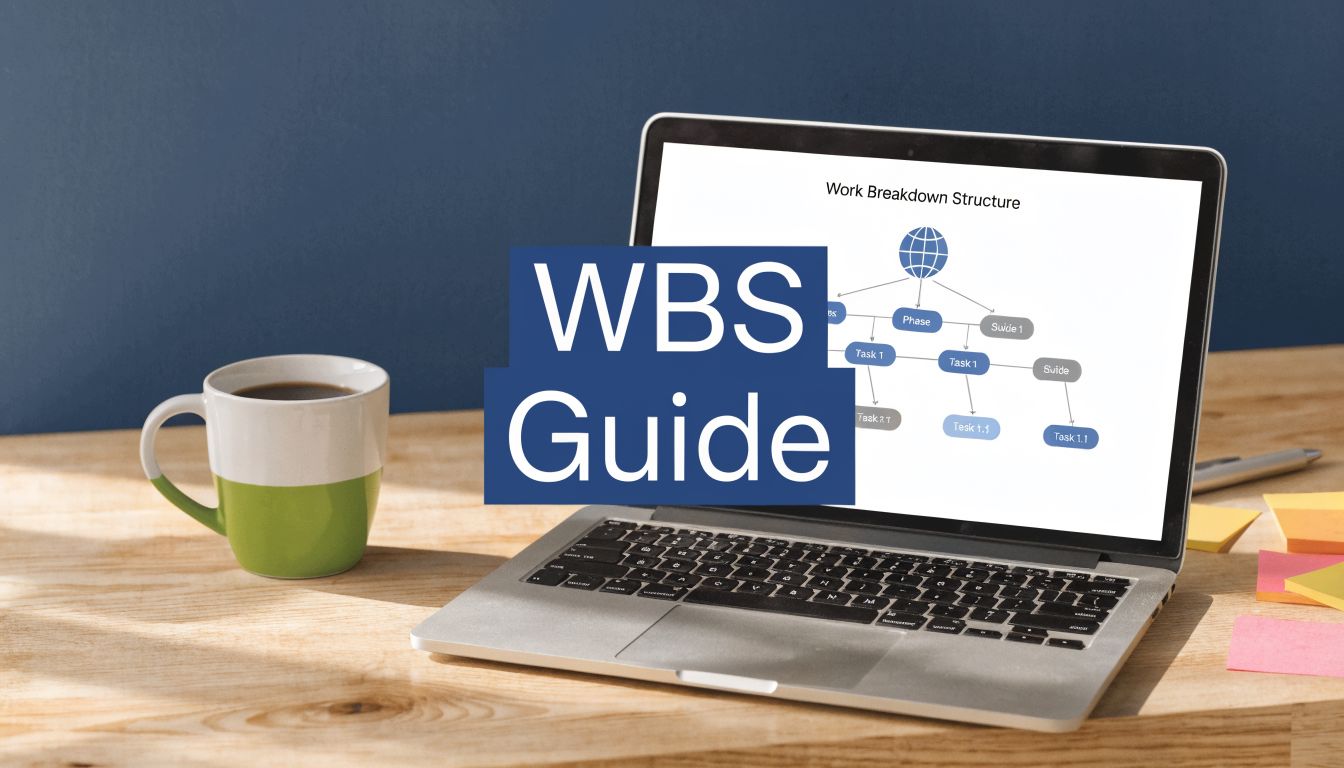
You can usually tell when a project needs a WBS before anyone says the words. The delivery date is still on the wall, but the team keeps debating what’s included. Developers think they’re building one thing. Operations is planning for another. Finance asks for a budget update, and nobody trusts the estimate because the work was never broken down cleanly in the first place.
That’s where wbs project management stops being theory and starts being useful. A good Work Breakdown Structure gives the team a shared map of the scope. Not a vague list of intentions. A structure you can estimate, assign, review, and defend when new requests start creeping in.
Why Projects Fail Without a Work Breakdown Structure
Most failing projects don’t collapse in one dramatic moment. They drift. A feature request gets added during a call. Testing work is assumed instead of named. Handover tasks sit in someone’s head rather than in the plan. Then the team reaches the midpoint and discovers it was never working to the same definition of “done”.
A Work Breakdown Structure, or WBS, is a hierarchical breakdown of the total project scope into smaller pieces. It shows what must be delivered. It is not a schedule. It is not a to-do list. It is not a Gantt chart with nicer indentation.
That distinction matters. If you start with dates and task verbs, you rush past the more basic question: what are we delivering?
What goes wrong without one
Teams usually hit the same set of problems:
- Scope drift: work gets added because nobody can point to a clear boundary
- Bad estimates: budgets are built from rough guesses rather than defined work packages
- Ownership confusion: several people think someone else is covering deployment, documentation, training, or approvals
- Late surprises: risks show up when the work starts, not when the plan is reviewed
If that sounds familiar, start with the scope structure before touching the schedule. A useful primer on scope in a project helps if your team keeps mixing scope, plan, and timeline into one blurry document.
Practical rule: If a stakeholder can add work without changing a named WBS element, your scope control is already weak.
The business case is stronger than most teams think
This isn’t just process discipline for its own sake. In the Netherlands, the introduction of government-mandated WBS standards for public projects helped reduce project failure rates by 42% in infrastructure initiatives, and by 2015 these projects reported a 78% compliance rate with WBS methodologies, according to Productive’s summary of Dutch WBS adoption data.
That result makes sense in practice. When teams define the full scope in a structured way, they miss less, argue less, and recover faster when change arrives.
A weak WBS creates noise. A strong one creates control.
Choosing Your WBS Approach Deliverable vs Phase
The first choice is structural. Do you want the top level of the WBS to describe what the project produces, or when work happens?
Both approaches work. Both also fail when used in the wrong context.
Deliverable-oriented WBS
This version breaks the project into outputs. If you’re rolling out an internal analytics platform, your Level 2 elements might look like this:
- User authentication module
- Device deployment package
- Reporting dashboard
- Admin training pack
- Support documentation
This is usually the better choice when scope control matters more than lifecycle reporting. It keeps attention on what must exist at the end.
That’s one reason it works well in software, platform migrations, integrations, and cross-functional product work. A 2023 Deloitte Netherlands survey found that 85% of Agile-hybrid teams using deliverable-based WBS met cost estimates within a 10% margin, compared with 54% of teams without one, according to Institute of Project Management’s cited summary of the Dutch findings.
Phase-oriented WBS
This version breaks the project by lifecycle stage. Using the same project, your Level 2 elements might be:
- Discovery
- Design
- Build
- Test
- Deployment
- Closure
This structure is easier to map into a schedule because it matches how many teams report progress. It’s often cleaner for manufacturing, infrastructure, staged implementations, and projects with formal review gates.
There’s evidence for that too. The same Dutch source reports that phase-based WBS structures reduced project delays by 37% in manufacturing.
Pick the structure that makes review easier. If executives ask, “What have we delivered?”, use deliverables. If they ask, “What phase are we in?”, a phase-based top layer may fit better.
Deliverable-oriented vs. Phase-oriented WBS
| Criterion | Deliverable-Oriented WBS | Phase-Oriented WBS |
|---|---|---|
| Best for | Software, digital products, integrations | Manufacturing, construction, gated rollouts |
| Top-level logic | Outputs the project must produce | Lifecycle stages of the work |
| Strength | Strong scope clarity | Strong schedule visibility |
| Weak spot | Can be harder to sequence into a timeline | Can hide whether outputs are actually complete |
| Typical naming | Dashboard, API, training pack | Design, build, test, deployment |
| Good fit when | Teams need tight scope and budget control | Teams manage formal stage approvals |
What I’d choose in practice
For most IT and software projects, start with deliverables. It reduces the usual confusion between “we worked on it” and “it exists in a usable form”.
For work with strict stage gates, compliance checkpoints, or site-based execution, phase-based WBS can be easier to run. Sometimes a hybrid works best. Deliverables at the top, phases underneath. Just don’t muddle the logic. If the first branch is by deliverable, keep it by deliverable.
A WBS becomes hard to use when it switches mental models halfway down.
Building Your First Work Breakdown Structure
The first draft should be rough. The final draft should be strict.
Teams often make the mistake of trying to perfect the structure on the first pass. That slows the workshop and pushes people into detail too early. Build the backbone first. Clean it up afterwards.
Start with the full scope
Write the project outcome at the top. One line. Clear enough that a sponsor would recognise it as the thing they approved.
Then define the main chunks of scope beneath it. Depending on your approach, these are either major deliverables or major phases.

For example, if the project is “Endpoint Analytics Rollout for European IT Team”, the next level might be:
- Deployment package
- Usage dashboard
- Data retention controls
- Admin enablement
- Operational support model
That’s enough to begin.
Break work down with nouns, not verbs
A common problem for many WBS documents arises here. If your entries say “configure”, “install”, “review”, or “test”, you’re drifting into an activity list.
A WBS should mostly name things. Use nouns. That keeps the structure tied to outputs.
Bad:
- Install client
- Train admins
- Test dashboard
Better:
- Client deployment package
- Admin training materials
- Dashboard test evidence
That doesn’t mean activities disappear. They belong later in the schedule and task plan.
Apply the 100% Rule and the 8/80 Rule
Two checks make a WBS usable.
The 100% Rule
Every child element under a parent should add up to all the scope represented by that parent. Nothing missing. Nothing extra.The 8/80 Rule
A work package should usually be small enough to estimate and assign, but not so small that you’re micromanaging. A common guide is work packages that fall between 8 and 80 hours of effort.
A 2022 study of Dutch IT projects found that teams using a structured WBS with clear work packages achieved 52% higher on-time delivery rates, while 27% of cases showed a common pitfall: over-detailing that led to micromanagement, as cited by Advaiya’s summary of Dutch IT project findings.
That matches what many project managers see in live delivery. Too broad and nobody can estimate. Too detailed and the WBS becomes a surveillance tool instead of a planning tool.
If a work package needs daily status reporting to make sense, it’s probably too small. If nobody can estimate it without shrugging, it’s probably too big.
Add a WBS dictionary
The chart alone won’t carry enough meaning. You need a short companion record for each lowest-level item.
A good WBS dictionary includes:
- Code: for example, 2.3.1
- Name: the formal work package name
- Description: what’s included
- Exclusions: what is not included
- Owner: one accountable person
- Acceptance basis: how completion will be checked
- Dependencies: anything needed before work starts
If your team wants a simple format for early drafts, use a spreadsheet first. A basic planning sheet is often enough before you move it into Jira, Microsoft Project, or another tool. This project planner Excel template is a practical starting point for that stage.
A simple build sequence
- Name the project outcome
- Set the Level 2 branches
- Break each branch into sub-deliverables
- Stop when each work package can be estimated, assigned, and reviewed
- Write dictionary entries for the lowest level
- Review with the people who will deliver the work
Don’t build a WBS alone unless the project is tiny. The fastest way to miss deployment, security, procurement, or support work is to draft the whole thing in isolation.
Connecting the WBS to Budgets Schedules and Resources
A WBS that never leaves the planning workshop is dead weight. Its value appears when it starts feeding the rest of the project system.

Take one work package: 2.3 Client Deployment Package.
That single item should connect to your schedule, budget, resource plan, and risk register. If it doesn’t, your WBS is acting like documentation instead of control.
Schedule starts at the work package level
The WBS doesn’t contain dates. The schedule does. But the schedule should be built from the WBS, not invented separately.
For 2.3 Client Deployment Package, your scheduler might derive activities such as packaging, pilot release, rollback test, production release, and post-deployment verification. Those activities then go into Microsoft Project, Jira, or another scheduling tool with dependencies and dates.
That’s where earned value tracking also becomes cleaner, because scope, schedule, and progress all point back to the same structure. If your team uses formal controls, this guide to earned value management is useful once the WBS is stable.
Budgeting works better bottom-up
Budget arguments usually get easier when the team prices defined scope instead of broad phases.
For the same work package, you can estimate:
- engineering time
- packaging tools
- testing effort
- deployment window support
- rollback preparation
Then roll those figures up under the parent deliverable. Finance teams prefer that because each amount ties to something concrete. Agencies and service teams often face the same problem when they need margin visibility by project component. This piece on Jumpstart Partners on agency finance is a useful example of how structured project accounting improves profitability tracking.
Here’s a useful explainer on how the planning pieces fit together:
Resource and risk planning get more honest
When the WBS is detailed enough, resource planning stops being hand-waving. You can assign one accountable owner per work package and then identify supporting roles around it.
For 2.3 Client Deployment Package, that might mean:
- Endpoint engineer as owner
- Security reviewer for packaging controls
- Service desk lead for support readiness
- Test analyst for rollback validation
The risk register also improves because risks become specific. Instead of “deployment risk”, you write things like packaging incompatibility, pilot failure, or incomplete uninstall path. Those are easier to monitor and easier to mitigate.
A vague WBS creates vague risks. A precise work package creates a risk you can actually manage.
That’s the real integration point. The WBS becomes the reference structure that holds the plan together.
Common WBS Mistakes and a Review Checklist
Most bad WBS documents aren’t bad because the team ignored the concept. They’re bad because the team built something that looks formal but can’t survive contact with delivery.
The pattern is familiar. The chart gets approved. Work starts. Three weeks later nobody uses the WBS because it doesn’t match how the project runs.
Five mistakes that keep showing up
Over-detailing
This happens when the team decomposes work until every small action becomes its own element. The result is admin load, not clarity.
Here’s what happens next: leads spend more time updating structure than managing delivery. Team members feel tracked at the wrong level. The WBS turns brittle.
Writing activities instead of outputs
If the structure says “review architecture”, “build API”, and “run training”, you’ve created a task list wearing a WBS costume.
That causes trouble during reporting. Stakeholders hear that an activity happened and assume the deliverable is complete. It often isn’t.
Building it in isolation
A project manager can draft a first cut. Finalising it alone is where the trouble starts.
Security, operations, procurement, legal, and support often spot missing scope in minutes because they live with the consequences after handover. If they weren’t in the review, expect gaps.

Treating the WBS as fixed forever
The approved baseline should be controlled. It shouldn’t be frozen in amber.
Real projects learn things. New integration requirements appear. Packaging work turns out to be bigger than expected. The answer isn’t to ignore reality. The answer is controlled change.
Quick review checklist before kickoff
Use this before the project moves into active delivery:
- Clear top level: Does Level 1 describe the whole approved project outcome?
- Consistent logic: Is the structure based on deliverables or phases, rather than a mix?
- Complete coverage: Does each parent equal all the child scope beneath it?
- Noun-based naming: Do most entries describe outputs rather than actions?
- Usable work packages: Can each lowest-level item be estimated, assigned, and reviewed?
- Single owner: Is one person accountable for each work package?
- Dictionary support: Are descriptions and exclusions written down where names could be misunderstood?
- Cross-functional review: Have delivery, operations, and support leads checked the structure?
- Change path: Is there a way to update the WBS when scope changes are approved?
Review the WBS with the people who inherit the work after delivery. They catch omissions earlier than sponsors do.
A WBS doesn’t need to be elegant. It needs to be dependable.
Validate Work Packages with Endpoint Analytics
Traditional WBS practice has one blind spot. It assumes reported effort reflects actual effort.
Sometimes it does. Often it doesn’t.
A team lead says a work package is “on track”, but the people doing the work are bouncing between tools, switching contexts all day, and spending far more time than planned in support tasks, rework, or troubleshooting. The WBS still exists. The reporting just isn’t grounded in what’s happening on the endpoint.

In the Netherlands, 68% of organisations adopted hybrid work by 2025, and the Standish Group’s 2024 CHAOS report for the region attributes 31% of project failures to poor scope control, according to PMI’s library reference used in the Dutch gap analysis. In hybrid environments, that problem gets harder because managers see less direct evidence of how work packages unfold day to day.
What validation looks like in practice
This doesn’t mean spying on staff. It means comparing planned work packages with privacy-respecting operational signals.
For example, if a WBS contains:
- Authentication module
- Client deployment package
- GDPR retention controls
- Admin training materials
You can map each package to expected application patterns, device groups, or categories of tool usage. Then you review whether the effort profile matches the plan.
Examples:
- Authentication module: code editor, repository tools, local test environment, database tools
- Admin training materials: presentation software, documentation tools, meeting time, LMS admin panel
- Client deployment package: packaging tools, endpoint management console, test device group activity
If the planned estimate assumes concentrated engineering work but the activity pattern shows heavy context switching and prolonged admin time, that’s a signal. Either the work package was underestimated or the delivery path is blocked.
What this catches early
Status meetings often miss the same things:
- Hidden rework: people return repeatedly to a supposedly finished package
- Tool friction: work stalls because teams spend time in the wrong systems
- Support bleed: delivery staff absorb user support that wasn’t scoped
- False completion: a work package is marked green while operational activity says otherwise
That creates a feedback loop for future planning. The next WBS gets better because package sizing is based on observed delivery patterns, not memory and optimism.
The trade-off
You do need care here.
If you map analytics too tightly, managers start treating every work pattern as a performance judgment. That’s a mistake. Endpoint analytics should validate work package assumptions, surface bottlenecks, and improve estimation. It shouldn’t become a blunt productivity score.
Used properly, it gives project managers something status reports rarely provide: an objective check on whether the work is unfolding the way the WBS said it would.
If you want a practical way to connect WBS planning with real endpoint data, WhatPulse gives teams a privacy-first view of application usage, focus time, and work patterns across computers. That makes it easier to validate work packages, spot overruns earlier, and improve the next estimate without relying only on subjective status updates.
Start a free trial