
For individual contributors

Understand how you work. Improve what matters.

See your real software usage, focus patterns, and input habits. The same dashboard your team would adopt, scoped to your own data and your own day. Privacy-first, your data stays yours.

WhatPulse Professional is sold to teams. Subscriptions start at 25 computers. Use the free trial to evaluate it on your own machine, then pitch it to your team.
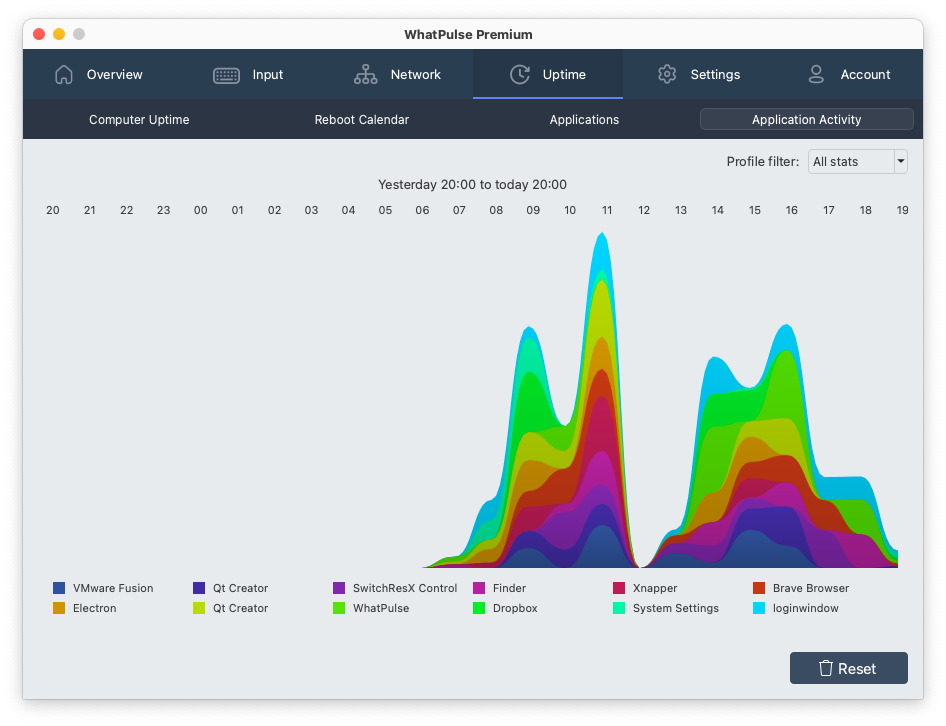
Personal application activity dashboard

Detailed dashboards powered by real usage data

  • See typing patterns to understand workflow load

    Map keyboard usage patterns, gather trending data, and optimize your keyboard layout for better efficiency.
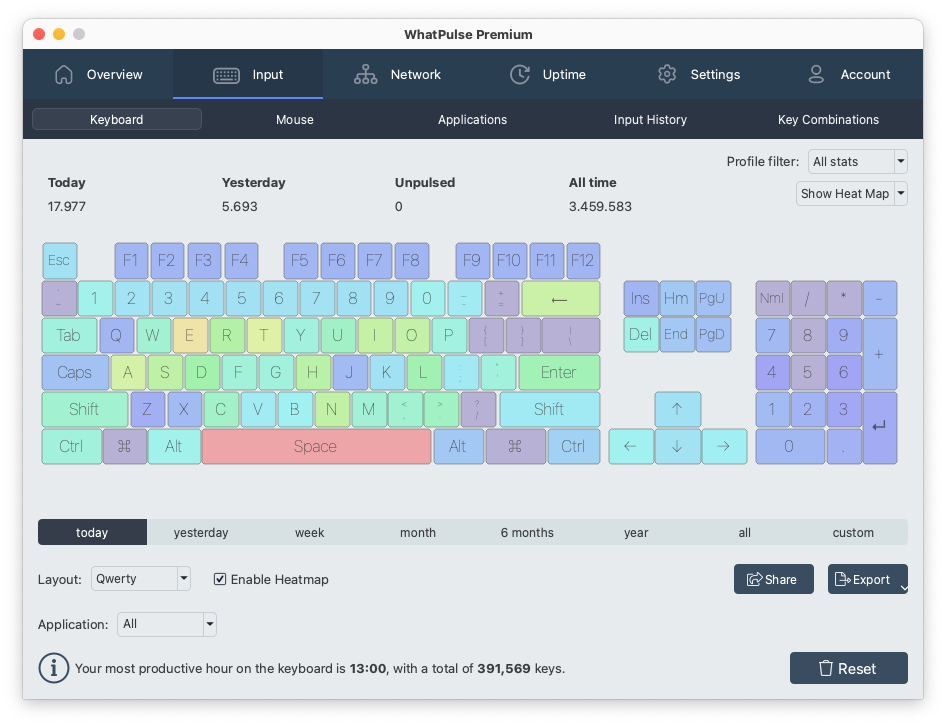
    Keyboard heat map
  • Application usage

    Discover which apps get used most across your organization and which ones get the most focused attention.

    Application focus time visualization
  • Mouse click maps

    Are your apps organized on the right parts of your screen? Map mouse usage and optimize workspace layout.
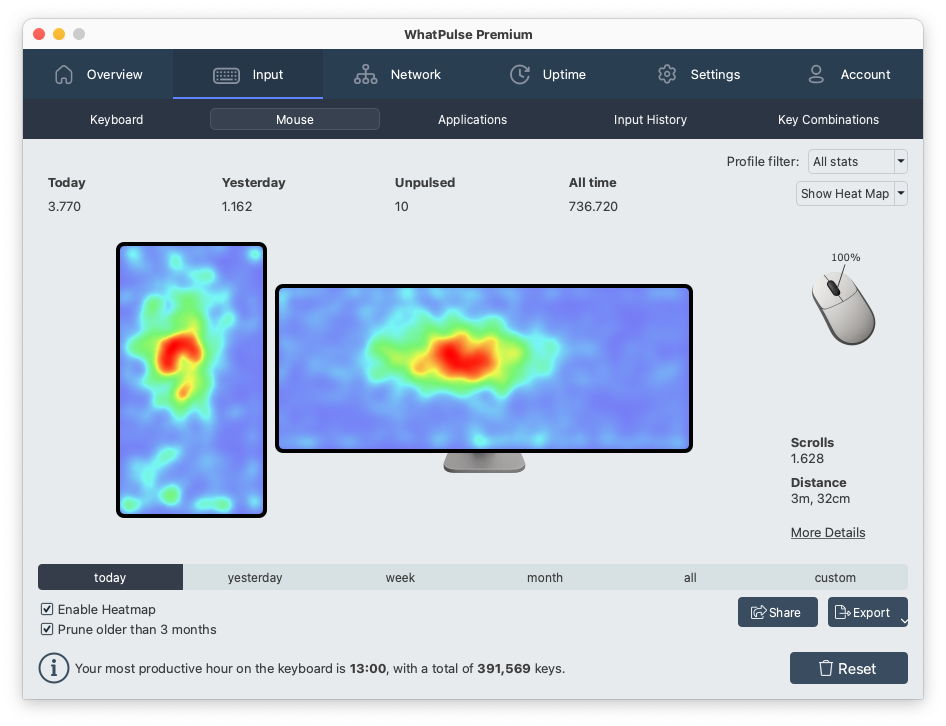
    Mouse click heat map
  • Track network traffic

    Find out which applications use the most bandwidth and eat up valuable network resources.
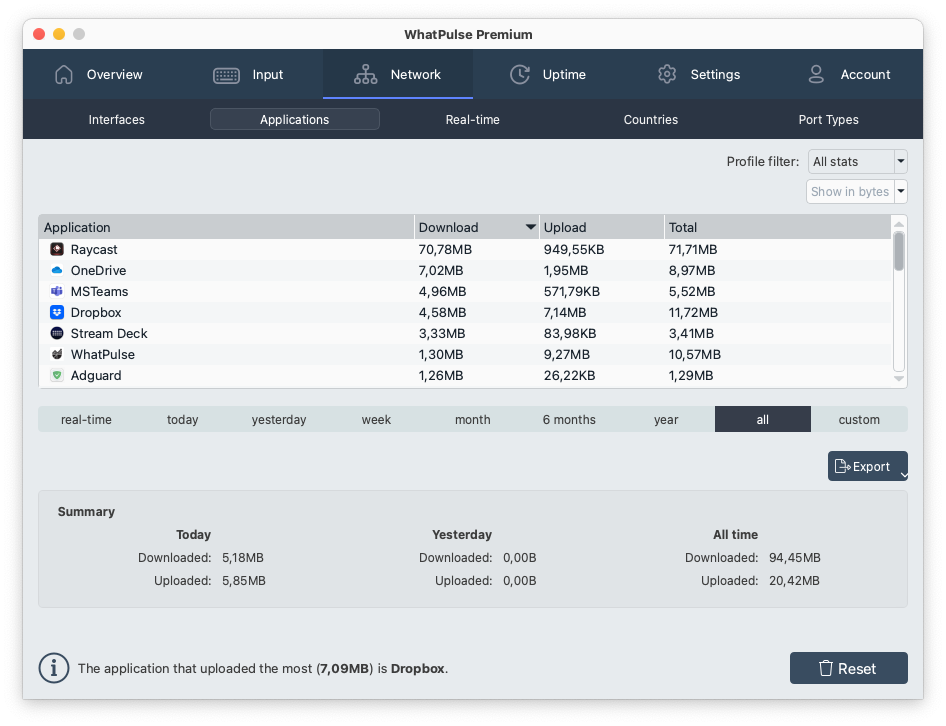
    Network usage visualization

What individuals get out of it

Developers, consultants, and admins on teams that adopted WhatPulse Professional.

Jennifer Torres

Jennifer Torres

Senior Software Developer

Austin, US

"WhatPulse Professional isn't just for managers. As a developer, I use it to analyze my own habits and cut down on pointless context switching. It's also helped me coach junior devs better because we can look at real data instead of guesswork."

Marieke Bakker

Marieke Bakker

Productivity Consultant

Utrecht, Netherlands

"I work with multiple clients to improve team workflows, and WhatPulse Professional has become one of my go-to tools. It gives me concrete data to back up recommendations instead of just hunches. One client even cut their onboarding time by 15% after we optimized based on the usage patterns."

Bas Janssen

Bas Janssen

System Administrator

Schiedam, Netherlands

"For years, our team guessed which apps were slowing people down. WhatPulse Professional finally gave us hard numbers. We spotted an outdated internal tool that was wasting hours every week. Replacing it paid for itself in two months."

The team pricing you would pitch.

per monthper computer.

$4 per computer per month, with subscriptions starting at 25 computers. Every feature is opened up to every team member as part of the team subscription.

Calculate your price

Adjust the number of seats to see your monthly cost.

25100200300400+
Your price: $100 per month for 25 computers.
Most popular

Per computer

$4/ computer / month

Pay only for active machines. Add or remove computers anytime.

  • Every feature included
  • Billed at month-end for active computers
  • 14-day free trial · no credit card
  • 30-day money-back guarantee

Enterprise

Custom400+ computers

Volume discount, dedicated onboarding, and procurement-ready quotes for larger deployments.

  • Volume pricing on flat-fee or per-seat terms
  • Procurement & security review support
  • MDM deployment via Intune, Group Policy, Jamf
  • EU data residency

Need more detail? See full pricing and what's included →

Champion enablement

Like what you see? Make the case to your team.

Most teams adopt WhatPulse Professional because one person ran the trial and showed their manager what they found. Use your trial data, then forward the team page to whoever owns the software budget.

Frequently asked questions

  • No. WhatPulse Professional is sold to teams and organizations, with subscriptions starting at 25 computers. You can start the 14-day free trial on your own machine to evaluate it, then pitch it to your team or whoever owns the software budget.
  • Full access to every feature for 14 days on a single computer. Use it to see your own application usage, focus time, input patterns, and (with Web Insights) which web tools you actually use. The trial is the best evidence for an internal pitch.
  • No. WhatPulse never records keystroke content, screenshots, individual URLs, page content, or activity in incognito or private browsing. When your team adopts WhatPulse Professional, they see application usage time, focus time, and aggregated activity volume. Never the content of what you typed or read.
  • Run the 14-day trial, document what you found (which tools actually got your focus time, which slowed you down, which subscriptions you'd reclaim), and forward the team-focused home page to whoever owns the software budget. The cost-savings case is built for them.
  • Application usage time, focus time, typing and mouse volume (counts only, never content), uptime, downloads, uploads, and scrolls. With Web Insights enabled, also which web domains you visit. No keystrokes, no screenshots, no individual URLs, nothing in incognito or private browsing.
  • Profiles let you tag activity with a project or client. Switch profiles when you switch contexts and WhatPulse tags the input, focus time, and application usage to that profile automatically. No manual timers, no start and stop friction.
  • Windows 10+ and macOS 11+ on the desktop. The Web Insights browser extension works in Chrome, Edge, Brave, other Chromium browsers, and Firefox.

Start a trial. Then bring it to your team.

14-day free trial on a single computer. Team subscriptions start at 25 computers.

Professional

WhatPulse Professional for Individuals

The personal benefits of WhatPulse Professional for individual contributors on teams. See your real app usage, focus patterns, and input habits. Use the trial to pitch it to your team.